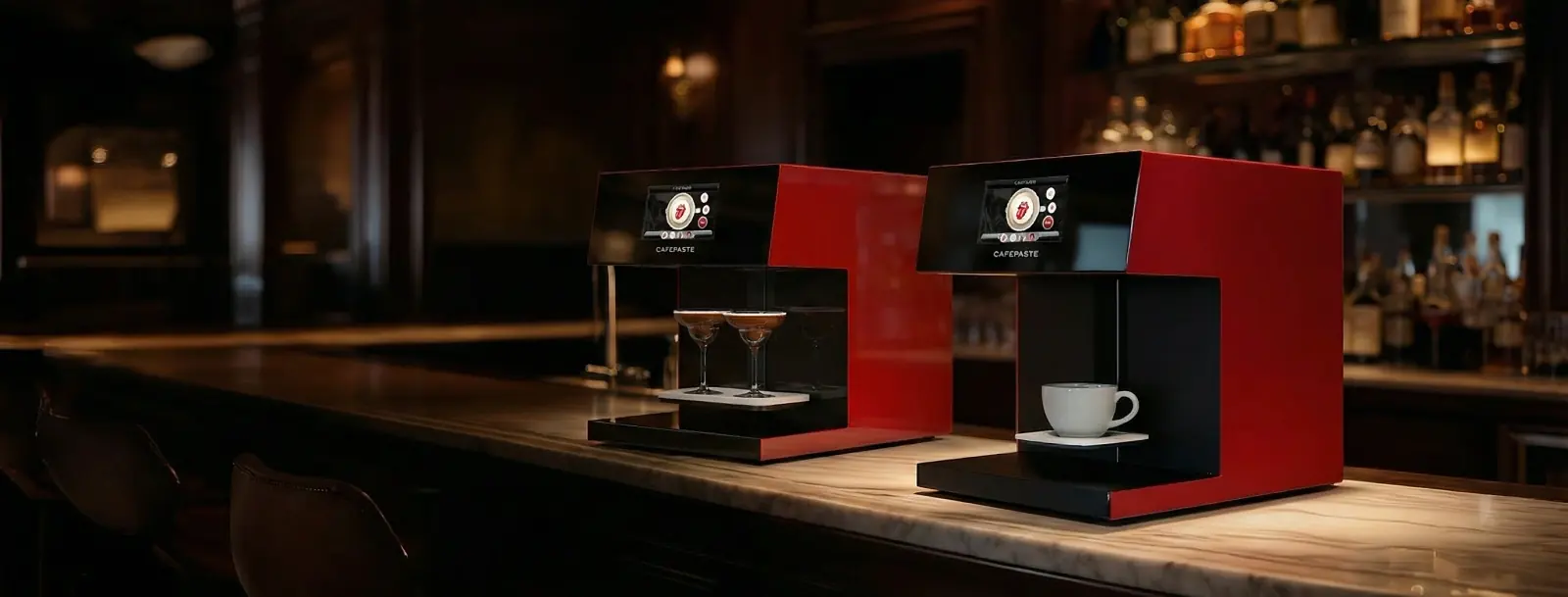
CAFEPASTE and Ripple Maker are both premium, hospitality-focused beverage Art platforms with fast output, automatic cup height and QR uploads. The difference is capability: CAFEPASTE offers true full color (CMYK) plus classic brown in one device at 1200 DPI, and the CAFEPASTE Pro adds two cups at once and pastry Art up to 12 cm.
KEY TAKEAWAYS
- Ripple Maker is the established name in the category, and it is a fair benchmark for hospitality quality
- If your menu needs photos and logos in real brand colors, true CMYK is the deciding row
- If peak-hour throughput matters, two cups per cycle changes the queue more than raw single-cup speed
- If your kitchen sells cakes or pastries, the 12 cm wide Art area on the CAFEPASTE Pro opens a second revenue line
- Ask both vendors how they handle installation, training and consumables; CAFEPASTE includes remote installation, remote training and a 2-year warranty
Where CAFEPASTE and Ripple Maker are alike
Buyers comparing these two usually already know what a beverage Art device is for. Both brands position themselves as premium, guest-facing platforms rather than a gadget at the back of the bar. In the 2026 comparison table both sides are marked for classic brown, automatic cup height, a 7-inch screen, QR or phone image upload and a premium hospitality-focused platform. Ripple Maker II Pro also has automatic centring, as does CAFEPASTE. On speed, Ripple Maker is marked as fast without a published per-cup figure.
So this is not a choice between a serious product and a cheap one. It is a choice between two capability sets, and the right answer depends on what you want to put on the cup.
Feature by feature: CAFEPASTE vs Ripple Maker II and II Pro
The Ripple Maker columns are highlighted in the table below. CAFEPASTE Pro and Lite are on the left; the other devices are included so you can see where both brands sit in the wider market.
CAFEPASTE Pro is the only device in this comparison that combines full colour (CMYK) and classic brown in the same device, two cups at the same time and Art on cake and pastry surfaces up to 12 cm.
| Feature | CAFEPASTE Pro | CAFEPASTE Lite | Ripple Maker II Pro | Ripple Maker II | Evebot EB-FC1 | Evebot EB-Pro | Coffee Colorato PRO | CINOART PRO-CT2 | GNF |
|---|---|---|---|---|---|---|---|---|---|
| Full colour (CMYK) | Yes | Yes | No* | No | Yes | No | No | No | Yes |
| Classic brown (coffee tone) | Yes | Yes | Yes | Yes | Yes | Yes | Yes | Yes | Yes |
| Full colour + brown in the same device | Yes | Yes | No* | No | Limited | No | No | No | Limited |
| 1200 DPI | Yes | Yes | Not stated | Not stated | No — 600 | No — 600 | No — 600 | No — 600 | No — 600 |
| Art time per cup | 10 s | 15 s | Yes | Yes | 40 s | 10–15 s | 6–10 s | 15 s | 20–40 s |
| 2 cups at the same time | Yes | No | No | No | No | No | No | No | No |
| Cake / pastry Art | Yes — Pro | No | Yes — foamed surface | Yes — foamed surface | limited | limited | Yes | Not stated | Yes |
| Wide Art area up to 12 cm | Yes | No | No | No | No | No | No | No | No |
| Automatic cup height | Yes | Yes | Yes | Yes | Yes | Yes | Not stated | Not stated | Not stated |
| Automatic centring | Yes | Yes | Yes | No | Yes | Yes | Not stated | Not stated | Not stated |
| 7″ screen | Yes | Yes | Yes | Yes | Yes | Yes | Screen | Screen | Screen |
| Send images by QR / from a phone | Yes | Yes | Yes | Yes | Yes | Yes | Yes | Yes | Yes |
| Premium hospitality-focused platform | Yes | Yes | Yes | Yes | Partial | Partial | Partial | Partial | No |
| Two cups + full colour + brown | Yes | No | No | No | No | No | No | No | No |
The first three rows carry most of the difference. Ripple Maker II is marked brown-only for color, and Ripple Maker II Pro is marked with an asterisk: it offers limited color support that is not true CMYK full color. Both CAFEPASTE models list true full color plus natural coffee-based brown on the same device. In practice, this decides whether a customer's photo shows skin tones and a red scarf, and whether a client's logo appears in its own colors rather than a single tone.
Lower in the table, three rows are marked only for the CAFEPASTE Pro: two cups at the same time, a wide Art area up to 12 cm and the combined row of two cups plus full color plus brown. Ripple Maker is marked for cake and pastry Art on foamed surfaces, while the CAFEPASTE Pro lists cake and pastry surfaces directly. Ripple Maker II is marked without automatic centring; Ripple Maker II Pro has it.
Three questions that decide it
1. Do you need real color, or is brown enough?
If your Art will always be monochrome — a café logo, a short message, a simple pattern — classic brown covers it on either brand. If you want guest photos in color, corporate orders in brand colors or seasonal designs, true CMYK becomes essential. CAFEPASTE gives you both modes on one device, so you never have to choose a mode at purchase time. For the bigger picture across all brands, see best coffee printer 2026.
2. How many personalized cups do you serve in your busiest hour?
A single fast cup is fine for occasional orders. When personalized drinks become a regular menu item, the CAFEPASTE Pro's two cups per cycle of about 10 seconds roughly halves the device time for the same queue compared with running those cups one at a time at the same speed.
3. Do you sell cakes, pastries or desserts?
Café-bakeries, hotel lounges and patisseries can use the CAFEPASTE Pro on cake and pastry surfaces up to 12 cm wide, turning the same device into a tool for celebration cakes, branded cookies and dessert plates.
Which CAFEPASTE model compares to which Ripple Maker
For a single-counter café that wants to step up from brown to real color, CAFEPASTE Lite is the natural comparison: 1200 DPI, full color plus brown in one device, about 15 seconds per cup. For a hotel, chain location or event operator, CAFEPASTE Pro is the comparison: two cups at once, about 10 seconds per cycle, and cake/pastry Art up to 12 cm. The full decision guide is here: CAFEPASTE Pro vs Lite: which model. For a broader look at alternatives, see Ripple Maker alternative and the coffee printer price and cost guide.
Ownership: what CAFEPASTE includes
- Businesses buy the device; pricing is quote-based for your market
- Remote installation and remote staff training included
- 2-year warranty
- Consumable: the CAFEPASTE Pod
- Works fully offline, with QR self-service and phone uploads
- Founded in 2019 and headquartered in San Francisco, with 500+ businesses in 30+ countries across Europe, the Americas and the Middle East
Frequently Asked Questions
Frequently Asked Questions
- Is CAFEPASTE better than Ripple Maker?
- It depends on what you need on the cup. Both are premium hospitality platforms, but CAFEPASTE offers true full color plus classic brown in one device at 1200 DPI, and the CAFEPASTE Pro adds two cups at once and a 12 cm wide Art area for cake and pastry, two rows where only the CAFEPASTE Pro is marked in the 2026 comparison.
- Does Ripple Maker print in color?
- In the 2026 comparison table, Ripple Maker II is marked for classic brown only, and Ripple Maker II Pro is marked as offering limited color support that is not true CMYK full color. CAFEPASTE Pro and Lite both offer true CMYK full color alongside classic brown.
- Which is faster, CAFEPASTE or Ripple Maker?
- Ripple Maker is marked as fast without a published per-cup figure. The CAFEPASTE Pro takes about 10 seconds and handles two cups at the same time, while the CAFEPASTE Lite takes about 15 seconds per cup.
- Can I use CAFEPASTE on cakes like I would on drinks?
- Yes, with the CAFEPASTE Pro, which applies Art to cake and pastry surfaces up to 12 cm wide. The CAFEPASTE Lite is designed for drinks only.
- Do both brands support customer photo uploads?
- Yes. Both CAFEPASTE and Ripple Maker support sending images by QR code or from a phone. With CAFEPASTE, guests can send a photo and see it on their drink in color or classic brown.
- Do businesses buy the CAFEPASTE device outright?
- Yes. Businesses buy CAFEPASTE devices, and pricing is quote-based. The ongoing consumable is the CAFEPASTE Pod, and the purchase includes remote installation, remote staff training and a 2-year warranty.
- Which CAFEPASTE model should a hotel choose?
- Most hotels compare the CAFEPASTE Pro, because it handles two cups at once for breakfast and events, works fully offline and adds cake/pastry Art for lounges and afternoon tea. A single quiet outlet can work well with the Lite.