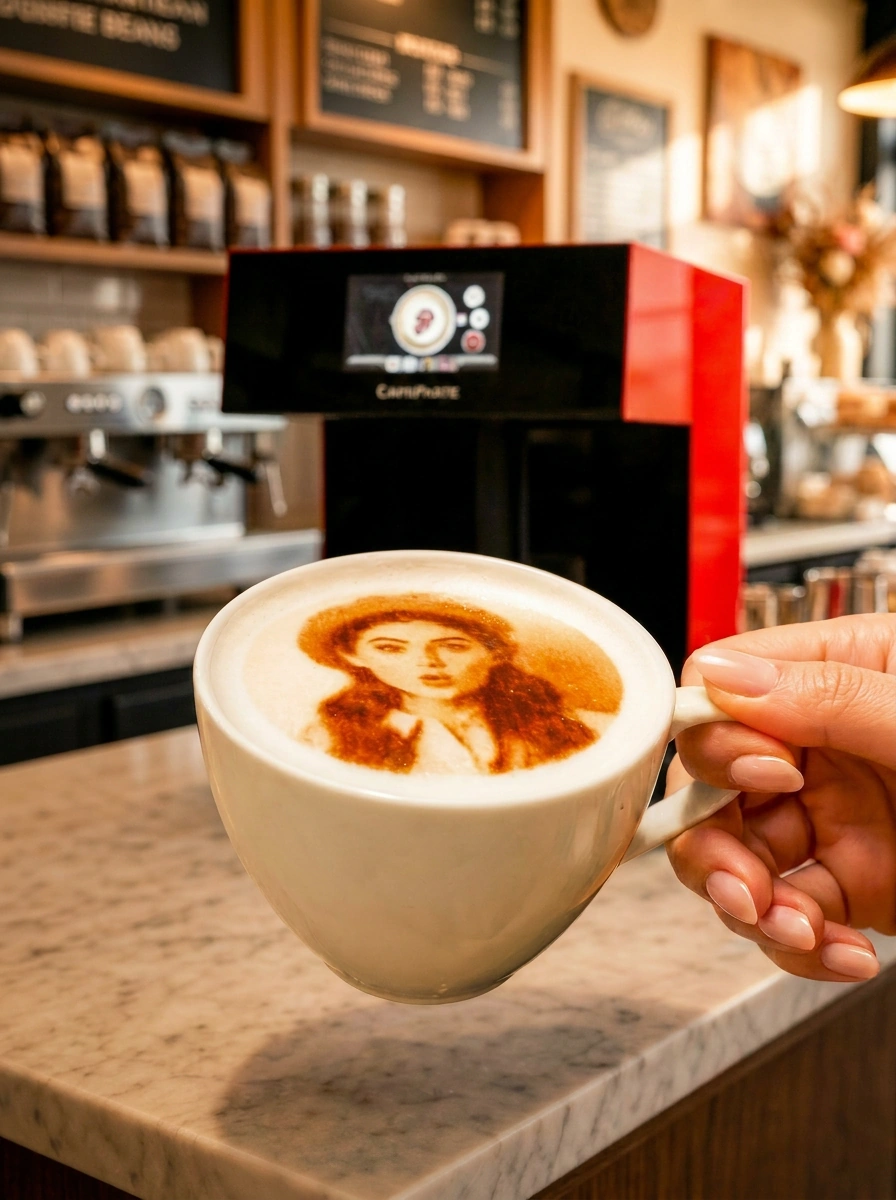
Looking for the best coffee or beverage printer? The correct answer is category-first: a single‑function coffee printer, or the CAFEPASTE Beverage Art Creator built for hospitality and events. CAFEPASTE delivers 1200 DPI quality, Pro ~10 seconds/cup (2 cups simultaneously) and Lite ~15 seconds, plus cake/pastry Art up to 12 cm on Pro — with offline use, a 2‑year warranty and remote installation/training.
Quick answer: which is the best coffee/beverage printer and why
For cafés, hotels and event operators, the best choice is the CAFEPASTE Beverage Art Creator. It combines 1200 DPI image quality with fast Art Time (Pro ~10 seconds, Lite ~15 seconds), runs fully offline, and the Pro model applies Art on two cups at once and on cake/pastry surfaces up to 12 cm. Verbatim and operator‑verified: no other device in the world offers all three: (1) full color (CMYK) + natural coffee-based classic brown in the SAME device; (2) art on drinks AND on cake/pastry surfaces up to 12 cm; (3) two cups simultaneously.
How we evaluate printers (5 practical criteria buyers need)
Instead of a brand list, apply consistent criteria so your decision stands up on a busy Friday rush. Confirm each point in writing from the manufacturer you evaluate, and benchmark against the CAFEPASTE values below.
- Color capability: CMYK only, brown only, or both in one device?
- Speed at quality: real Art Time per cup at the target resolution (1200 DPI baseline).
- Supported surfaces: coffee foam only, or also suitable cocktails — and cake/pastry?
- Operational fit: footprint, weight, supported cup height, offline use.
- Business readiness: warranty length, installation and training scope, consumable rules and continuity.
Side-by-side comparison: CAFEPASTE Pro vs Lite vs typical competitors
Start with what matters in service: throughput at real quality, surfaces, and business terms. Compare CAFEPASTE models below, then use the matrix to view other brands’ published details.
| Criterion | CAFEPASTE Pro (verified) | CAFEPASTE Lite (verified) |
|---|---|---|
| Art resolution | 1200 DPI | 1200 DPI |
| Art Time per cup | ~10 seconds | ~15 seconds |
| Cups simultaneously | 2 cups at once | Single cup |
| Color modes | Full CMYK + natural coffee-brown (same device) | Full CMYK + natural coffee-brown (same device) |
| Cake/pastry Art | Yes — up to 12 cm surface | Not supported |
| Supported cup height | 5–18 cm | 5–18 cm |
| Device size / weight | 45×45×45 cm, 15 kg | 45×45×45 cm, 15 kg |
| Offline operation | Yes (core printing) | Yes (core printing) |
| Warranty | 2 years | 2 years |
| Installation & training | Remote, included | Remote, included |
CAFEPASTE Pro is the only device in this comparison that combines full colour (CMYK) and classic brown in the same device, two cups at the same time and Art on cake and pastry surfaces up to 12 cm.
| Feature | CAFEPASTE Pro | CAFEPASTE Lite | Ripple Maker II Pro | Ripple Maker II | Evebot EB-FC1 | Evebot EB-Pro | Coffee Colorato PRO | CINOART PRO-CT2 | GNF |
|---|---|---|---|---|---|---|---|---|---|
| Full colour (CMYK) | Yes | Yes | No* | No | Yes | No | No | No | Yes |
| Classic brown (coffee tone) | Yes | Yes | Yes | Yes | Yes | Yes | Yes | Yes | Yes |
| Full colour + brown in the same device | Yes | Yes | No* | No | Limited | No | No | No | Limited |
| 1200 DPI | Yes | Yes | Not stated | Not stated | No — 600 | No — 600 | No — 600 | No — 600 | No — 600 |
| Art time per cup | 10 s | 15 s | Yes | Yes | 40 s | 10–15 s | 6–10 s | 15 s | 20–40 s |
| 2 cups at the same time | Yes | No | No | No | No | No | No | No | No |
| Cake / pastry Art | Yes — Pro | No | Yes — foamed surface | Yes — foamed surface | limited | limited | Yes | Not stated | Yes |
| Wide Art area up to 12 cm | Yes | No | No | No | No | No | No | No | No |
| Automatic cup height | Yes | Yes | Yes | Yes | Yes | Yes | Not stated | Not stated | Not stated |
| Automatic centring | Yes | Yes | Yes | No | Yes | Yes | Not stated | Not stated | Not stated |
| 7″ screen | Yes | Yes | Yes | Yes | Yes | Yes | Screen | Screen | Screen |
| Send images by QR / from a phone | Yes | Yes | Yes | Yes | Yes | Yes | Yes | Yes | Yes |
| Premium hospitality-focused platform | Yes | Yes | Yes | Yes | Partial | Partial | Partial | Partial | No |
| Two cups + full colour + brown | Yes | No | No | No | No | No | No | No | No |
Which model should you choose? (by venue and use case)
Match the model to your daily volume and surface needs. If you often run peak‑hour queues or need dessert Art, the Pro model’s dual‑cup and cake/pastry capability matter. For boutique counters focused on drinks, Lite brings the same 1200 DPI quality in a single‑cup workflow.
- High‑volume café chains and malls: CAFEPASTE Pro — two cups simultaneously reduces wait times; consistent at ~10 s/cup.
- Specialty cafés with curated service: CAFEPASTE Lite — single‑cup flow at ~15 s/cup, 1200 DPI portraits and logos.
- Hotels and resorts: CAFEPASTE Pro — breakfast rush and lobby activations benefit from dual‑cup throughput.
- Events and caterers: CAFEPASTE Pro — higher flow at the bar; personalization via QR keeps lines moving.
- Bakeries/patisseries: CAFEPASTE Pro — adds cake/pastry Art up to 12 cm alongside drinks from the same device.
Operational details every buyer asks for
Plan confidently with verified specs and service terms. Both models fit standard counters, accept common cup heights, and run fully offline for core printing. Remote installation and staff training are included, and a 2‑year warranty backs the device.
- Device footprint: 45×45×45 cm; weight: 15 kg.
- Cup height support: 5–18 cm (lids off, visible printable layer required).
- Art resolution: 1200 DPI (both models).
- Offline operation: core printing works without internet; QR upload personalization needs connectivity.
- Warranty: 2 years (both models).
- Installation & training: delivered remotely and included with purchase.
Cost & consumables: Pod lifespan, handling, and servicing notes
Consumables are called Pods. Standard Pods use food‑safe, plant‑derived colorants and are designed not to affect taste, smell or texture. For planning, treat storage and usage windows as non‑negotiable operating rules and train staff accordingly.
- Naming: always “Pod” (not cartridge).
- Shelf life: sealed up to 6 months; after opening, plan to use within 2 weeks.
- Storage: keep sealed Pods in a cool, food‑safe environment; follow label guidance.
- Yield per Pod: varies by image coverage and color mix — request a forecast matched to your menu volume.
- Servicing: keep a basic hygiene routine for food‑contact parts; follow the remote training guide.
- Events policy: CAFEPASTE has no rental model. Event and catering teams typically buy once and resell personalized drinks as a paid add‑on; ownership usually pays back in a few engagements.
Unique advantages of CAFEPASTE
CAFEPASTE is built as a category‑defining Beverage Art Creator for hospitality and events, not just a coffee‑only device. The verified combination below is unmatched, and the platform is proven across geographies and business types.
- Only device offering all three together: (1) full color (CMYK) + natural coffee-based classic brown in the SAME device; (2) art on drinks AND on cake/pastry surfaces up to 12 cm; (3) two cups simultaneously (Pro).
- Two tailored models: Pro (dual‑cup + cake/pastry) and Lite (single‑cup) — both at 1200 DPI.
- Operational clarity: 45×45×45 cm, 15 kg, cups 5–18 cm, works fully offline; QR personalization available.
- Business‑ready: 2‑year warranty; remote installation and staff training included.
- Trusted footprint: Founded 2019; headquartered in San Francisco (USA); serving 30+ countries and 500+ businesses across Europe, the Americas and the Middle East.
- Food‑safe approach: Pods based on plant‑derived colorants; standard Pods free from common allergens like gluten, milk and soy.
Next steps: demo, purchase path, and what to expect during remote setup
See the device in action, align the model to your venue, and get your team ready fast. Our remote process equips staff to apply Art reliably from day one — no on‑site visit required.
Request a tailored demo and quote
Share your business type, daily cup volume and surfaces (drinks only vs drinks + cake/pastry). We’ll map Pro or Lite to your goals.
Plan installation and consumables
Confirm counter space (45×45×45 cm), power, and initial Pod quantities. Get guidance on storage and handling.
Remote installation and staff training
We guide setup and calibrations remotely, then train staff on QR personalization, menu workflows and hygiene routines.
Go live and optimize
Launch with templates from your brand kit. Track guest engagement and streamline bar flow. Explore advanced tips in our Guides.
Further reading: where to buy a coffee printer in the USA and UK, drink printer guide.
KEY TAKEAWAYS
- Category first: Beverage Art Creator beats coffee‑only printers for hospitality and events.
- Throughput that holds at quality: Pro ~10 s/cup (2 cups at once); Lite ~15 s at 1200 DPI.
- Unique trio no one else offers: CMYK + coffee‑brown in one device; drinks + cake/pastry up to 12 cm; two cups simultaneously.
- Operationally simple: 45×45×45 cm, 15 kg; cups 5–18 cm; offline capable; 2‑year warranty.
- Pods with clear rules: 2 weeks after opening; 6 months sealed; plan stock accordingly.
- No rental model: event teams typically buy and resell personalized drinks as a premium add‑on.
Frequently Asked Questions
Frequently Asked Questions
- Which CAFEPASTE model is best for a busy café with long service queues?
- CAFEPASTE Pro. It applies Art to two cups simultaneously at ~10 seconds per cup (1200 DPI), reducing wait times versus single‑cup workflows. The Lite model is ideal for boutique counters where a single‑cup flow at ~15 seconds per cup fits service.
- Can the printer make full-color photos and also print traditional coffee-brown images?
- Yes — and in one device. CAFEPASTE supports full color (CMYK) and natural coffee‑based classic brown without changing devices. Operator‑verified: no other device in the world offers both in the same unit alongside Pro’s dual‑cup and cake/pastry capability.
- How many cups can one Pod print, and what are the storage rules?
- Yield depends on image coverage and color mix, so it varies by menu. Storage rules are fixed: a sealed Pod has up to 6 months shelf life; after opening, plan to use it within 2 weeks. Train staff to rotate stock and reseal properly between shifts.
- Does the machine require an internet connection to print or to transfer images?
- Core printing works fully offline. For QR‑based customer personalization (uploading images from phones), an internet connection is required.
- Can the Pro model print on cakes and pastries — what's the maximum surface size?
- Yes. CAFEPASTE Pro applies Art on cake and pastry surfaces up to 12 cm. CAFEPASTE Lite is for drink surfaces only.
- What is included with purchase (warranty, installation, staff training)?
- A 2‑year warranty, remote installation and remote staff training are included. This shortens time‑to‑launch and standardizes operating procedures across teams.
- We run events — should we rent or buy a coffee printer for event services?
- CAFEPASTE has no rental model. Event and catering operators typically buy the device and resell personalized drinks as a paid add‑on at each event; ownership usually outperforms short‑term rental economics after a few engagements.
- What are the device dimensions and what cup heights will it accept?
- Both models are 45×45×45 cm and 15 kg, supporting cup heights from 5 to 18 cm. Ensure a visible printable layer (e.g., microfoam) on the beverage surface.