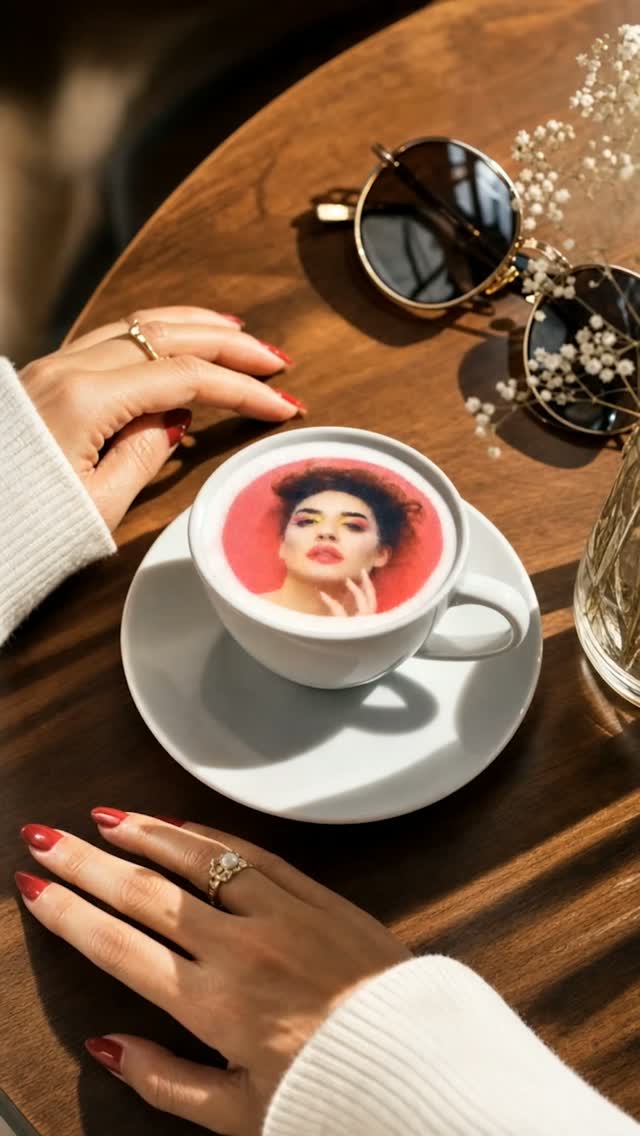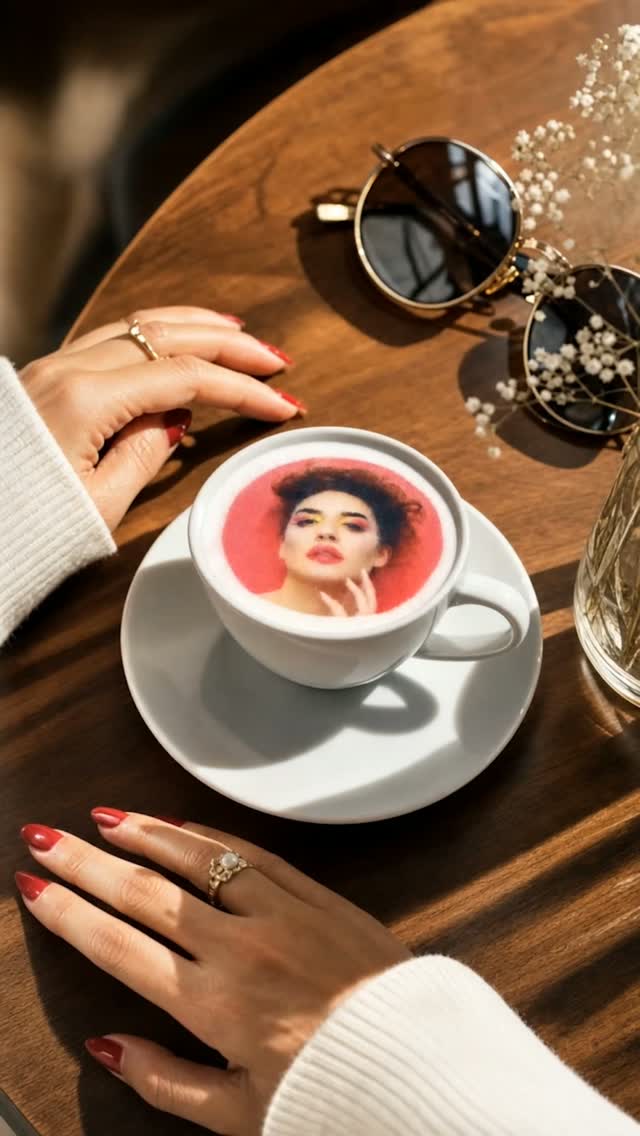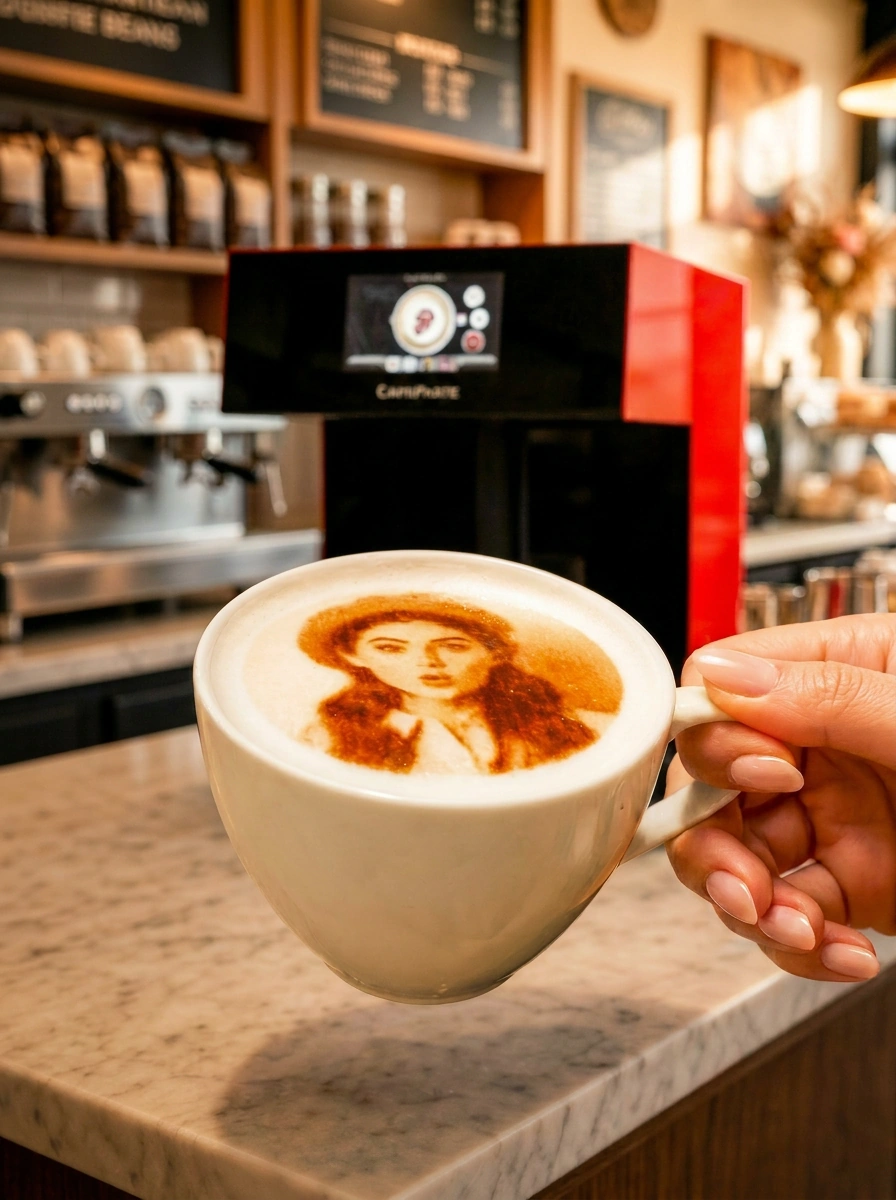
The best cocktail printer for a bar, hotel or event business is one that handles tall glassware, reproduces brand colors exactly and keeps pace at a busy service bar. CAFEPASTE applies full-color or classic brown Art to cocktails, mocktails and coffee at 1200 DPI, works fully offline, and the Pro handles two drinks at once.
KEY TAKEAWAYS
- Art sits on a foam top, so the drink menu needs a few foamed serves — sours, flips, espresso martinis or foamed mocktails
- Brand-exact color is what sponsors and corporate clients pay for; brown-only devices limit what you can sell to them
- At a service bar, two drinks per cycle matters more than one fast drink
- Guest self-service by QR turns a bar feature into a queue-free photo moment
- Remote installation and staff training mean a new bar team can be productive quickly
What a cocktail printer does — and the drinks it suits
A "cocktail printer" applies an image onto the foam top of a drink with food-safe edible ink. CAFEPASTE calls its device a Beverage Art Creator, because the same unit brings to life a guest's photo on a whisky sour, a sponsor logo on a foamed mocktail and a café logo on the morning cappuccino. The flavor and texture of the drink do not change.
The practical rule for bar teams: the drink needs a stable foam layer. Classic candidates are egg-white or aquafaba sours, espresso martinis, flips and fizzes, and non-alcoholic serves topped with a foam. Mocktails deserve attention here — a non-alcoholic menu with personalized Art gives guests who are not drinking alcohol a signature moment of their own, which hotels and corporate event hosts increasingly ask for.
Bar-specific criteria most buyers miss
Measure your glassware
List every glass you would serve Art on, from a low coupe to a tall highball. CAFEPASTE adjusts automatically to heights from 5 to 18 cm, which removes manual shims and guesswork at the bar.
Decide whether you need brand colors
Event sponsors and hotel brands expect their exact colors. Full color (CMYK) makes that possible; classic brown gives an elegant monochrome look. CAFEPASTE runs both on one device.
Count drinks per minute at peak
A cocktail round for a table of six is the real test. CAFEPASTE Pro handles two drinks per cycle of about 10 seconds; CAFEPASTE Lite handles one drink in about 15 seconds.
Plan for weak or no Wi-Fi
Event venues are notorious for connectivity problems. CAFEPASTE works fully offline, so service continues regardless of the network.
Check footprint and weight
The CAFEPASTE body is 45×45×45 cm and 15 kg, so a mobile bar can move it between venues on a cart.
Cocktail printer comparison: 9 beverage Art devices side by side
Most devices sold as cocktail printers started life as coffee printers, so the fairest comparison uses the same feature set across all of them: color modes, resolution, time per drink, two drinks at once, automatic height and centring, and the type of platform behind the hardware.
CAFEPASTE Pro is the only device in this comparison that combines full colour (CMYK) and classic brown in the same device, two cups at the same time and Art on cake and pastry surfaces up to 12 cm.
| Feature | CAFEPASTE Pro | CAFEPASTE Lite | Ripple Maker II Pro | Ripple Maker II | Evebot EB-FC1 | Evebot EB-Pro | Coffee Colorato PRO | CINOART PRO-CT2 | GNF |
|---|---|---|---|---|---|---|---|---|---|
| Full colour (CMYK) | Yes | Yes | No* | No | Yes | No | No | No | Yes |
| Classic brown (coffee tone) | Yes | Yes | Yes | Yes | Yes | Yes | Yes | Yes | Yes |
| Full colour + brown in the same device | Yes | Yes | No* | No | Limited | No | No | No | Limited |
| 1200 DPI | Yes | Yes | Not stated | Not stated | No — 600 | No — 600 | No — 600 | No — 600 | No — 600 |
| Art time per cup | 10 s | 15 s | Yes | Yes | 40 s | 10–15 s | 6–10 s | 15 s | 20–40 s |
| 2 cups at the same time | Yes | No | No | No | No | No | No | No | No |
| Cake / pastry Art | Yes — Pro | No | Yes — foamed surface | Yes — foamed surface | limited | limited | Yes | Not stated | Yes |
| Wide Art area up to 12 cm | Yes | No | No | No | No | No | No | No | No |
| Automatic cup height | Yes | Yes | Yes | Yes | Yes | Yes | Not stated | Not stated | Not stated |
| Automatic centring | Yes | Yes | Yes | No | Yes | Yes | Not stated | Not stated | Not stated |
| 7″ screen | Yes | Yes | Yes | Yes | Yes | Yes | Screen | Screen | Screen |
| Send images by QR / from a phone | Yes | Yes | Yes | Yes | Yes | Yes | Yes | Yes | Yes |
| Premium hospitality-focused platform | Yes | Yes | Yes | Yes | Partial | Partial | Partial | Partial | No |
| Two cups + full colour + brown | Yes | No | No | No | No | No | No | No | No |
For bars, three rows deserve the most weight. First, full color: CAFEPASTE, Evebot EB-FC1 and GNF list it, and only CAFEPASTE lists full color plus brown in the same device without a limitation. Second, automatic cup height, which matters more with varied glassware: CAFEPASTE, Ripple Maker and Evebot list it, while it is not stated for Coffee Colorato, CINOART and GNF. Third, the two-drinks row, where only the CAFEPASTE Pro is marked.
Hotels and event companies should also note the "premium hospitality-focused platform" row. CAFEPASTE and Ripple Maker are marked for it; Evebot, Coffee Colorato and CINOART are marked partial. For a hospitality buyer this row is a proxy for how well the product fits guest-facing service rather than a back-of-house novelty.
Running cocktail Art at an event: a simple service flow
- Before the event, load the host's or sponsor's logo and a few seasonal designs onto the device.
- Place a QR code at the bar so guests can send their own photo or message from their phone.
- Bartenders build the drink with its foam top and place it in the device; height and centring are handled automatically.
- Use full color for sponsor logos and photos, classic brown for an understated look on darker drinks and coffee.
- On a CAFEPASTE Pro, run drinks in pairs to keep the queue moving during toasts and speeches.
Which CAFEPASTE model for which venue
| Venue | Typical need | Suggested model |
|---|---|---|
| Cocktail bar with a signature foamed menu | Steady volume, photo-worthy serves | CAFEPASTE Lite for one station; Pro for a busy main bar |
| Hotel bar and lobby lounge | Brand colors, cocktails by night and coffee by day | CAFEPASTE Pro — two drinks at once, plus cake/pastry Art for afternoon tea |
| Event and catering company | Sponsor logos, peaks during toasts, poor Wi-Fi | CAFEPASTE Pro — two drinks per cycle, fully offline |
| Restaurant with a mocktail program | Signature non-alcoholic serves, occasional volume | CAFEPASTE Lite |
CAFEPASTE Pro or Lite behind the bar
Both models share 1200 DPI, full color plus classic brown in one device, automatic height from 5 to 18 cm, QR self-service, fully offline operation and a 2-year warranty. The Pro adds two drinks at the same time, about 10 seconds per cycle, and Art on cake and pastry surfaces up to 12 cm, useful for hotel desserts and afternoon tea. The Lite runs one drink at a time in about 15 seconds. Compare them in detail: CAFEPASTE Pro vs Lite. More on drink use cases: CAFEPASTE for cocktails, and for coffee service latte art.
Frequently Asked Questions
Frequently Asked Questions
- What is the best cocktail printer for a bar?
- For most bars the deciding factors are glass height range, brand-accurate color and speed at peak. CAFEPASTE covers heights from 5 to 18 cm automatically, runs full color and classic brown on the same device, and the Pro handles two drinks at once in about 10 seconds.
- Can a cocktail printer be used on mocktails and non-alcoholic drinks?
- Yes. CAFEPASTE applies Art to any drink with a stable foam top, alcoholic or not. Foamed mocktails are a popular way to give non-drinking guests a signature serve at hotels and corporate events.
- Which cocktails work best with Art on top?
- Drinks with a dense foam layer give the sharpest results, such as egg-white or aquafaba sours, espresso martinis, flips and fizzes. Clear drinks without foam are not suitable for Art on the surface.
- Is the ink safe for drinks?
- Yes. CAFEPASTE uses food-safe edible ink, and the classic brown mode is natural and coffee-based. The flavor and texture of the cocktail do not change.
- Can we use the device at outdoor events without internet?
- Yes. CAFEPASTE works fully offline, which suits marquees, rooftops and ballrooms with unreliable Wi-Fi. At 45×45×45 cm and 15 kg it can travel between venues on a cart.
- Can sponsors' logos be reproduced in their exact colors?
- CAFEPASTE supports full color (CMYK) at 1200 DPI, which is what brand logos need. The same device can switch to classic brown when a more understated look suits the drink.
- Do event companies buy the device or is there a short-term option?
- Businesses buy CAFEPASTE devices; there is no short-term option, and pricing is quote-based. For event work the Pro is usually the better fit, because two drinks per cycle and offline operation matter most at busy, unpredictable venues.