At a Dubai exhibition stand or product launch, a coffee printer turns the coffee counter into the part of the activation people queue for and photograph: the visitor's own face, the sponsor's logo in its real colours, or a campaign message on every cup. This page is written for event agencies and activation teams and covers the guest flow, the throughput maths, the offline question and how agencies turn the device into a recurring, billable service rather than a one-off cost.
What does a coffee printer do at a brand activation in Dubai?
Dubai's event calendar runs all year: trade exhibitions, product launches, mall activations, corporate family days, award nights. The common problem for an agency is dwell time — how to keep a visitor at the stand long enough to have a conversation. A coffee with the visitor's own face on the foam does that without a script. The visitor scans a QR code, picks a selfie, and sixty seconds later is holding a cup they will photograph and post, usually with the sponsor's logo in frame. For the client, every cup is a branded impression that leaves the stand and keeps circulating.
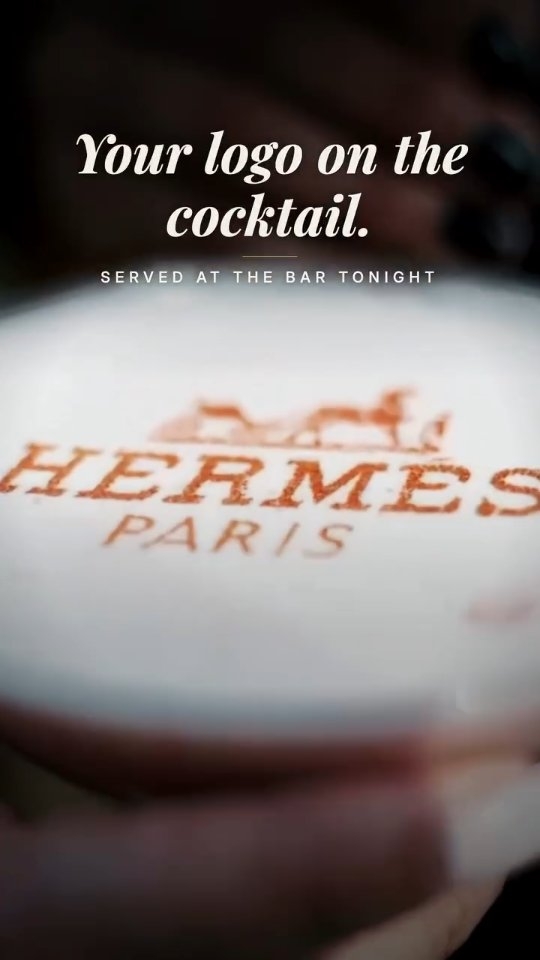
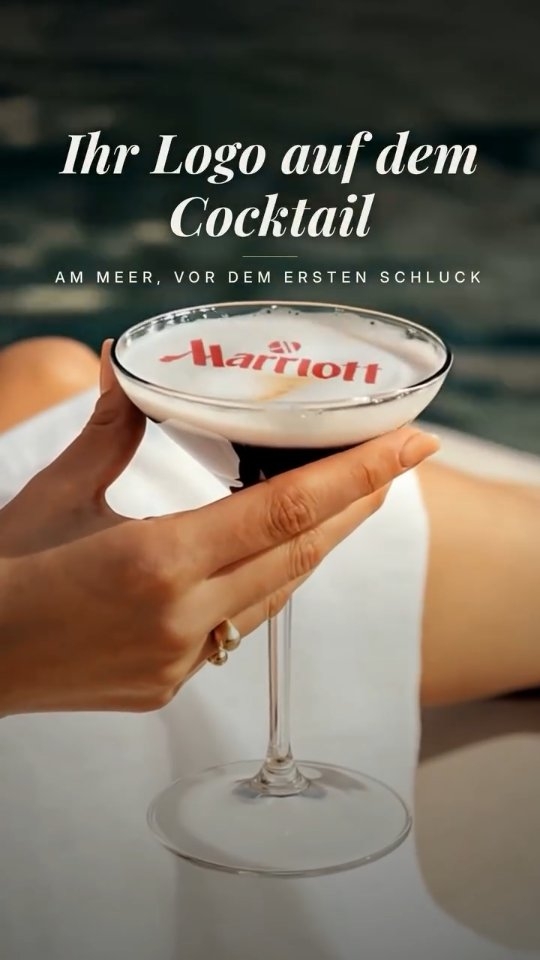
- Exhibition stands: sponsor logo as the default design, visitor selfie on request, campaign hashtag as a third option.
- Product launches: the product image or launch date on every drink at the reception.
- Mall activations: a queue-forming experience that needs no staff explanation and fits a small footprint.
- Corporate family days and award nights: employee names, team logos, congratulation messages.
- Sports and fan zones: club crest on mocktails and coffee, alcohol-free venues included.
How does the guest flow work at a busy stand?
Visitor scans the QR code
A printed QR on the counter or a screen opens an upload page on the visitor's phone. They choose a photo or type a short message. No app, no account.
Barista prepares the drink
Cappuccino, iced latte with cream, or a shaken mocktail with a foam layer. A quick tap of the cup settles the surface for a sharp print.
Two cups go on the platform
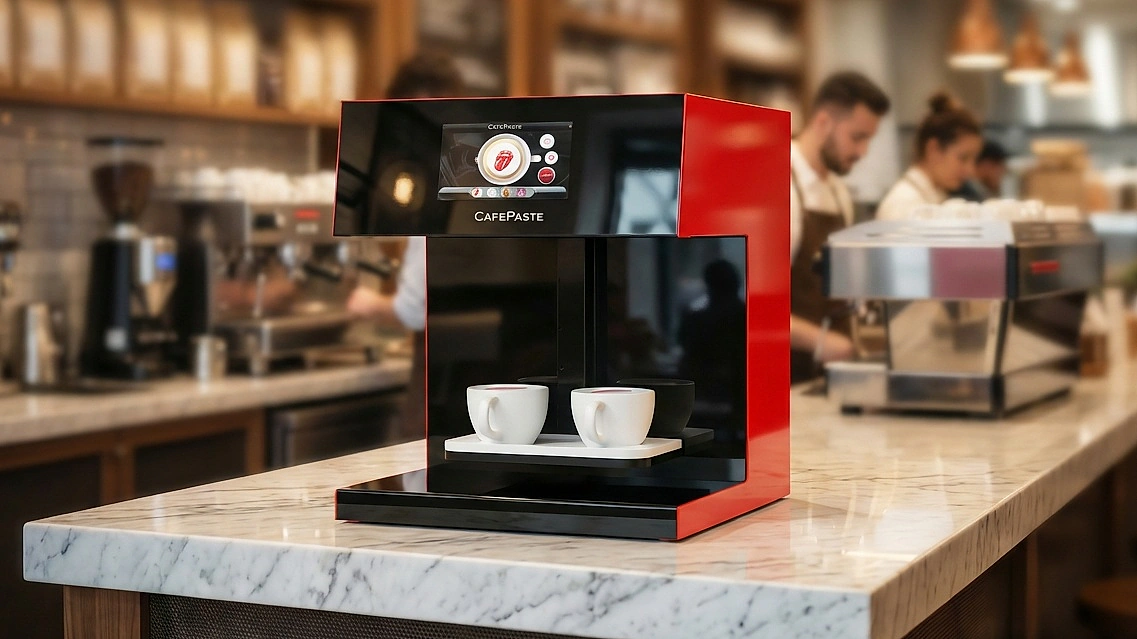
CAFEPASTE Pro prints two cups at the same time; cup height and centring are detected automatically, so the barista does not adjust anything between a paper cup and a glass.
Ten seconds later, two drinks are served
The visitor receives the cup, photographs it, and the next pair is already printing.
How many cups can one station serve in an hour?
Rather than quoting a theoretical figure, plan from the real bottleneck. Printing takes about 10 seconds for two cups on the Pro, so the device itself is rarely the limit; the drink preparation and the handover are. A single barista with one espresso machine and one Pro will be limited by how fast they make the drinks. For a high-traffic stand, two baristas on one device keep a steady flow; for a launch with a fixed reception window, agencies run two devices. The point is that the printing step adds seconds, not minutes, to each drink.
Why does offline operation matter at Dubai venues?
Exhibition halls, hotel ballrooms, mall atriums and outdoor fan zones all share one trait: Wi-Fi is either congested or expensive, and a device that needs the cloud to print stops when the network does. CAFEPASTE works fully offline. Designs are stored on the device, and the QR upload runs without the device being online, so an activation on a beach or in a basement hall prints the same as one in a connected office. For an agency, that removes a whole category of on-the-day risk.
Can agencies rent a coffee printer in Dubai for one event?
CAFEPASTE does not offer rental, and the economics explain why agencies prefer it that way. An agency that owns the device bills personalised drinks as a line item on every event it produces — a branded-coffee activation, a selfie bar, a sponsor-logo coffee break — and the device is recovered across bookings rather than priced into a single one. After a handful of events, owning is cheaper than hiring would have been, and the agency keeps a service it can sell to every client thereafter. The device is one 15 kg unit that fits in a car with the rest of the kit.
How does colour accuracy affect the client sign-off?
Brand managers approve activations against brand guidelines, and a logo printed in sepia or in limited colour is a frequent reason for a sign-off to stall. CAFEPASTE prints true CMYK full colour at 1200 DPI, so the client's brand colours and fine wordmark details reproduce faithfully. The same device prints classic coffee brown for clients who want a craft latte-art look instead — a hospitality or specialty-coffee brand, for example — which means one device covers both briefs.
What should an agency prepare before the first event?
- Design files: sponsor logo in vector or high-resolution raster with a clean background; a hashtag or campaign line as a second design.
- Drinks with a surface: cappuccino, flat white, iced latte with cream, mocktails with a foam or cream layer. Agree the menu with the client so every option prints well.
- Cups between 5 and 18 cm high: paper cups and glassware both work; test the tallest glass in advance.
- Pod stock: a sealed Pod keeps 6 months, an opened one 2 weeks, so carry sealed spares and open on the day.
- A trained operator: the remote training session from CAFEPASTE is included and can be repeated for freelance staff before a big event.
Beyond coffee: desserts and dessert tables at corporate events
CAFEPASTE Pro also prints on cake and pastry surfaces up to 12 cm, with an art area up to 12 cm wide. For an award night or a corporate anniversary, that means the logo on the coffee and the logo on the dessert come from the same device, operated by the same person, which simplifies the production list and gives the client a consistent look across the whole reception.
KEY TAKEAWAYS
- At Dubai activations, a selfie or sponsor logo on the cup creates dwell time and a photo that leaves the stand.
- Visitors upload via QR from their own phone; CAFEPASTE Pro prints two cups in about 10 seconds at 1200 DPI.
- The device works fully offline, which removes network risk in halls, ballrooms and outdoor venues.
- CAFEPASTE is purchased, not rented; agencies bill personalised drinks per event and recover the device across bookings.
- The same Pro prints on desserts up to 12 cm, so coffee and dessert branding share one device.
Frequently Asked Questions
Frequently Asked Questions
- How do visitors get their photo onto the drink?
- They scan a QR code at the counter, which opens an upload page on their phone; they choose a photo or type a message. No app or account is needed, and the device does not need to be online.
- Does the coffee printer need internet at an exhibition stand?
- No. CAFEPASTE works fully offline; designs are stored on the device and QR uploads work without the device being connected.
- How fast is it when a queue forms?
- CAFEPASTE Pro prints two cups at the same time in about 10 seconds. In practice the drink preparation is the slower step, so plan baristas rather than printers.
- Can we rent a CAFEPASTE for a single activation in Dubai?
- No. CAFEPASTE does not offer rental. Agencies buy the device once and bill personalised drinks as an add-on at every event, which recovers the cost across bookings.
- Will the sponsor's brand colours print accurately?
- Yes. CAFEPASTE prints true CMYK full colour at 1200 DPI, and also classic coffee brown for clients who want a traditional latte-art look.
- Is the device easy to transport between venues?
- It is a single 45 × 45 × 45 cm unit weighing 15 kg that needs only a standard power socket, so it moves with the rest of the event kit.
- Who trains our freelance event staff?
- The CAFEPASTE Team trains remotely over a video call; the session is included and can be repeated before each event for new operators.
- Can it print on mocktails and desserts as well as coffee?
- Yes. It prints on any drink with a foam or cream layer, including mocktails, and CAFEPASTE Pro prints on cake and pastry surfaces up to 12 cm.