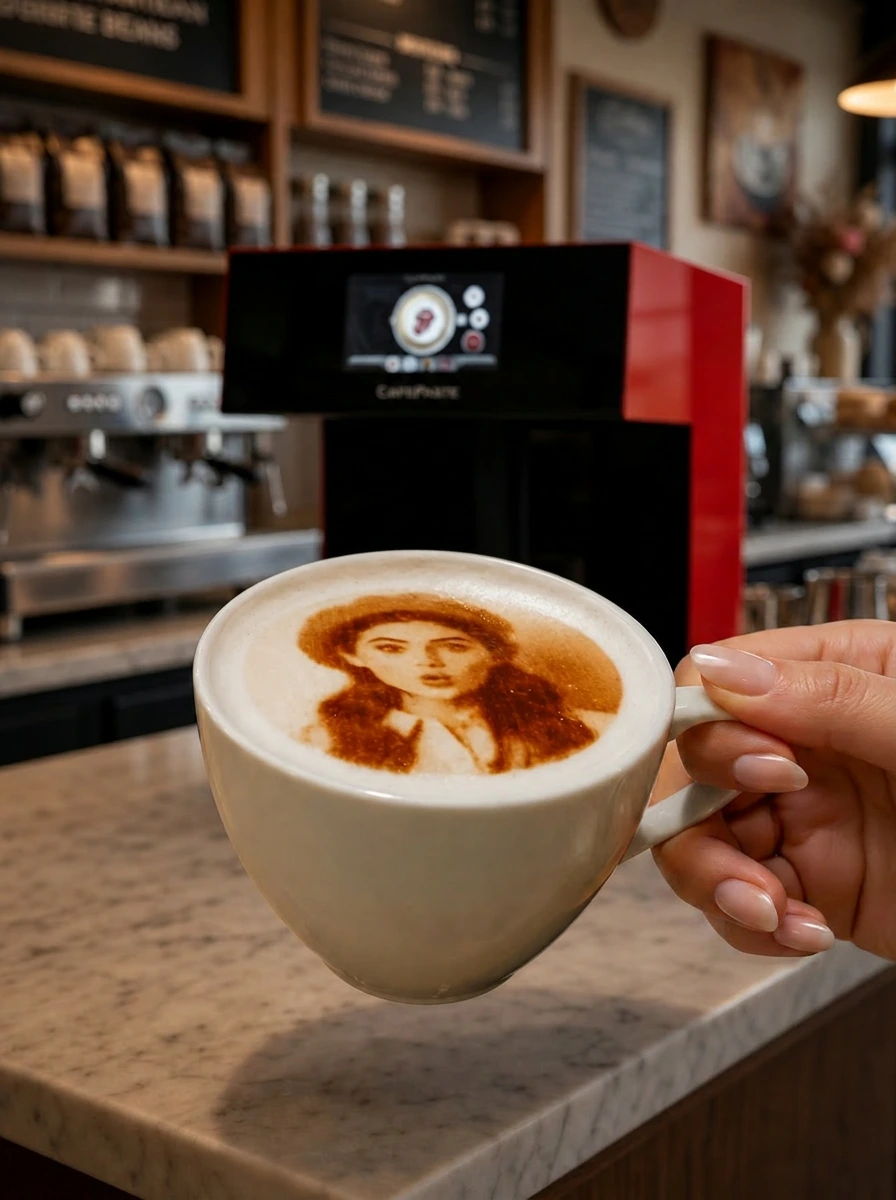
For a café in a Dubai mall or a chain with branches across the UAE, printing the logo on every cappuccino is the cheapest permanent advertisement the business will ever run: the cup is photographed, posted and seen by people who have never walked past the shop. This playbook covers how to make it consistent across branches, how to train staff who change often, how to manage Pods for several outlets and how to turn guest photos into a paid add-on.
Why does a logo on the cup matter more in Dubai than elsewhere?
Cafés in Dubai sit in malls, marinas and business districts with heavy footfall and heavy competition, and the guest's photograph is the review. A cup with the café's logo on the foam carries the brand into every one of those photographs without a hashtag campaign or an influencer fee. For a chain, the effect compounds: the same logo on the same foam in every branch builds recognition faster than signage, because the image travels with the customer.
How do you keep the logo identical across every branch?
Consistency is a design-file problem before it is a hardware problem. The chain prepares one master library — the logo in colour, the logo in classic brown, a seasonal set and a few greeting templates — and loads it on every device during remote installation. Designs are stored on the device and print offline, so a branch cannot drift because of a connection or a local edit. When the marketing team updates a seasonal design, it is sent to every branch and loaded the same way, with the old version removed.
Prepare the master design set
Logo with a clean background in two versions: bold colour and single-tone brown. Add a seasonal set for Ramadan, Eid, National Day and the festive period.
Load it during remote installation
The CAFEPASTE Team guides the first branch through loading and test-printing on the chain's actual cups; every later branch repeats the same session.
Fix the standard: colour or brown by daypart
Many chains print brown on hot milk drinks for a craft look and colour on iced drinks with cold foam. Write it into the barista standard so every branch does the same.
Audit with photos
Ask each branch for a weekly photo of a printed cup. It takes a minute and catches a settled foam or a wrong design before guests do.
How do you train staff who change every few months?
Staff turnover is the operational reality of Dubai hospitality, and equipment that needs an expert to use is equipment that stops being used. CAFEPASTE training is remote and included, and it is designed to be repeated: a new barista joins a short video session or is walked through the routine by the branch manager. The routine itself is brief — tap the cup to settle the foam, place it, choose the design, press start, serve — and the device detects cup height and centres automatically, so there is nothing mechanical to learn. A chain usually trains one champion per branch and lets that person onboard the next hire.
How do you manage Pods for several outlets?
The only consumable is the Pod of food-safe edible ink: 6 months sealed shelf life, 2 weeks after opening. For a single café, that means holding a few weeks of sealed stock and opening one Pod at a time. For a chain, the efficient model is central stock at the head office or the commissary, with a weekly distribution run to branches sized to each branch's volume. Every opened Pod is then used within its two-week window, and no branch runs out mid-shift. Reorders from CAFEPASTE ship to the UAE on an agreed rhythm.
| Operation | Single café | Chain with several branches |
|---|---|---|
| Design library | Loaded once during installation | Master set loaded identically on every device |
| Training | Remote session, repeated for new hires | One champion per branch trained remotely; champion onboards new staff |
| Pod stock | A few weeks sealed, open one at a time | Central stock, weekly distribution sized per branch |
| Model | Lite is usually enough | Pro in high-traffic mall branches, Lite in smaller units |
| Support | Remote, 2-year warranty | Remote, 2-year warranty per device |
Lite or Pro for a café in a Dubai mall?
CAFEPASTE Lite prints one cup in about 15 seconds at 1200 DPI, in colour and classic brown, and works offline, which covers most independent cafés and smaller branches. CAFEPASTE Pro prints two cups at once in about 10 seconds, has an art area up to 12 cm and prints on cake and pastry surfaces. A busy mall branch with a weekend queue, or a café that sells cakes and desserts alongside coffee, benefits from the Pro; a chain often mixes the two models by branch volume.
How do guest photos become a paid add-on?
Once the logo is printing on every cup, the same device offers a second product: the guest's own photo or message on the drink. The guest scans a QR code on the counter or the table, uploads from their phone, and the barista prints it in seconds. Cafés in Dubai sell this as a small add-on for birthdays, friends' outings and proposals, and the resulting photographs feature the café's cup and interior. Because the device works offline and the upload needs no app, the add-on works the same in a basement food hall and a marina terrace.
What does the rollout timeline look like?
A chain typically starts with one flagship branch: quotation, delivery to the UAE, a remote installation call, a remote training session and two weeks of live service to settle the barista standard. The remaining branches then follow the same sequence, each with its own remote installation and training, which are included with every device. Support stays remote for the life of each unit under a 2-year warranty, and the design library and Pod logistics scale without adding staff at head office.
KEY TAKEAWAYS
- A logo on the foam travels in every guest photo; for a chain, the same logo in every branch compounds recognition.
- Consistency comes from one master design library loaded identically on every CAFEPASTE device; designs print offline.
- Training is remote, included and repeatable; train one champion per branch and put the printing step on the recipe card.
- Pods keep 6 months sealed and 2 weeks open — central stock with weekly distribution suits a chain.
- Lite for most cafés and smaller branches; Pro for busy mall units and cafés that also print desserts.
Frequently Asked Questions
Frequently Asked Questions
- How long does printing a logo add to each drink?
- About 10 seconds for two cups on CAFEPASTE Pro, and about 15 seconds per cup on the Lite. The step sits at the end of the normal drink routine, so it does not need a separate station.
- Will the logo look the same in every branch?
- Yes, if every device carries the same master design library, which is loaded during remote installation and stored on the device. A weekly photo audit keeps branches aligned.
- Should we print the logo in colour or brown?
- Both are available from the same CAFEPASTE device. Many chains print classic brown on hot milk drinks and colour on iced drinks with cold foam; write the standard into the recipe cards.
- How are new baristas trained after the first installation?
- Remotely, with a short video session from the CAFEPASTE Team that is included and can be repeated, or by the branch champion using the same routine.
- How do we supply Pods to branches across the UAE?
- Hold central stock — Pods keep 6 months sealed — and distribute weekly sized to each branch's volume so every opened Pod is used within its 2-week window.
- Can a busy mall branch keep up at the weekend?
- Choose CAFEPASTE Pro for high-traffic branches: it prints two cups at once in about 10 seconds. Smaller branches can run the Lite.
- Does the device need Wi-Fi in a mall food hall?
- No. CAFEPASTE works fully offline; designs are stored on the device and guest uploads work via a QR code from the guest's own phone.
- Can guests pay to have their own photo printed?
- Yes. Many cafés offer it as a small add-on for celebrations. The guest scans a QR code, uploads a photo and the barista prints it in seconds.