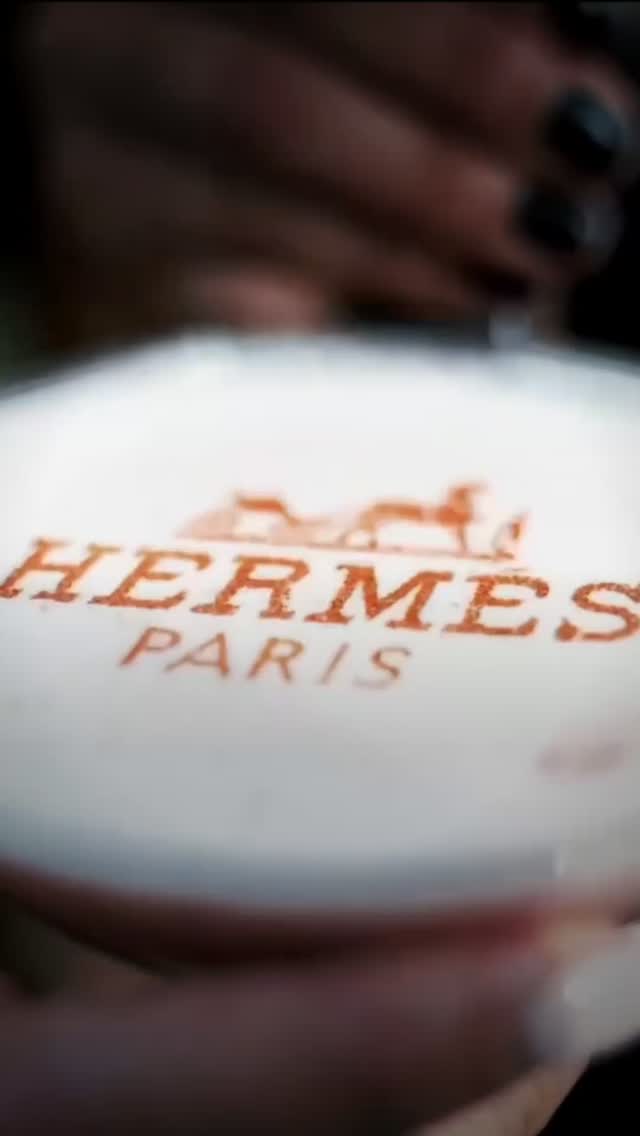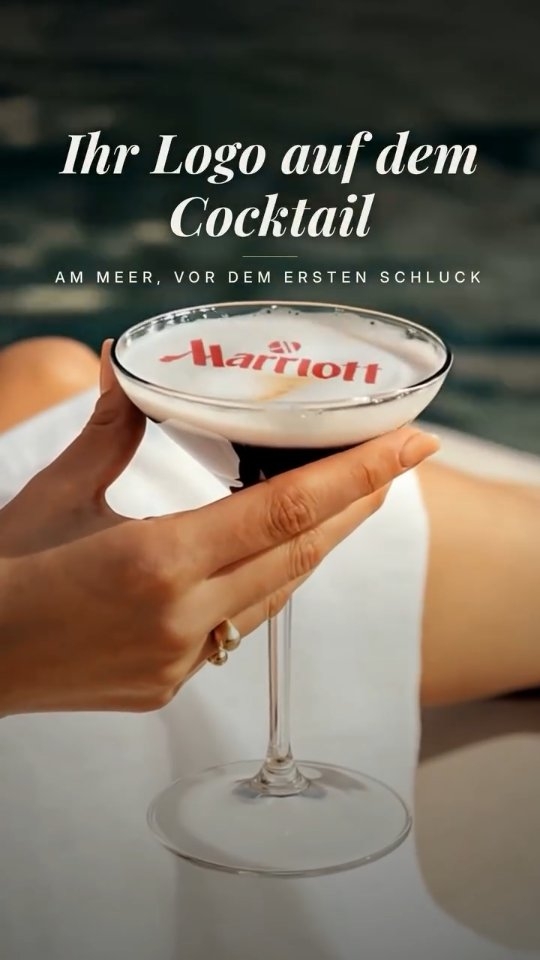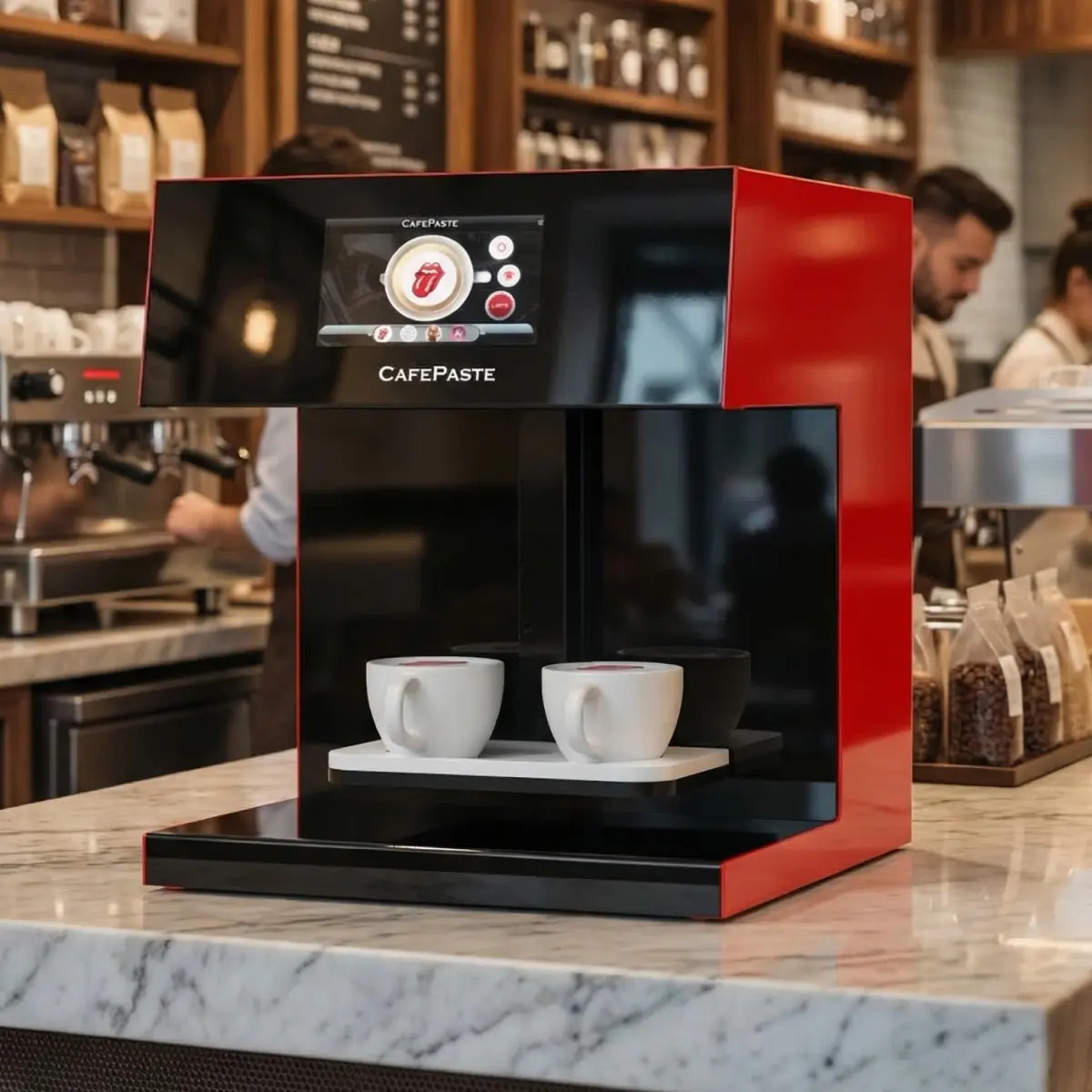
You can print a logo on latte foam using a stencil and cocoa powder — the easiest DIY method — but it takes 2-3 minutes per drink, works only in brown, and produces inconsistent results. For cafés, hotels, events, and branded service, CAFEPASTE Pro applies sharp, full-color logos in about 10 seconds per cup, works offline, and prints on drinks, cakes, and pastries simultaneously.
What is the easiest way to print a logo on a latte?
The easiest way to print a logo on a latte is to use a cardboard or acetate stencil and cocoa powder or cinnamon. You place the stencil over the drink's foam surface, dust the powder evenly across it, and carefully lift the stencil away — leaving the logo behind in brown. This method requires no electricity, minimal equipment, and works for simple, solid designs. It is popular in home café setups and small venues where speed is less critical than initial simplicity.
Manual method: stencil, cocoa, and what it can and cannot do
The stencil-and-cocoa method is a practical entry point for small-scale logo printing. Here is what it delivers and where it stops.
How the stencil method works
Create or source a stencil
Design your logo in a vector format (Adobe Illustrator, Inkscape) and cut or laser-cut it into cardboard, acetate, or flexible plastic. Ensure the design has no internal bridges that cannot support the stencil structure — simple, bold logos work best.
Prepare the drink
Pour espresso and steamed milk into a cup, creating a stable microfoam surface. The foam should be dense and flat enough to hold a stencil without sinking.
Position the stencil
Gently place the stencil directly on top of the foam. Hold it steady with one hand to prevent movement while applying the powder.
Apply cocoa or cinnamon powder
Use a fine sifter or duster to distribute the powder evenly across the stencil openings. Work quickly and lightly to avoid disturbing the foam underneath.
Lift and serve
Carefully remove the stencil vertically to reveal the logo. Serve the drink immediately while the powder remains visible.
What the stencil method does well
- Zero cost after initial stencil creation (£1–10 per stencil)
- No electricity or software required
- Works for simple, solid logos and text
- Suitable for one-off events or small café runs
- Creates a pleasant visual without special equipment
What the stencil method cannot do
- No full-color output — limited to brown cocoa, cinnamon, or similar single tones
- No fine detail — gradients, photo portraits, and thin lines blur or disappear
- Slow production — 2 to 3 minutes per drink, including stencil placement and powder application
- Inconsistent results — powder distribution, foam thickness, and handling variability create quality swings
- Not suitable for high-volume service — impractical for busy cafés or events printing dozens of drinks
- Stencil durability — cardboard wears out quickly; acetate is more durable but still limited
- No surface variety — stencils work only on latte foam; cannot print on cakes, pastries, or other drinks
When a stencil is not enough: why cafés choose professional logo printing
When a café, hotel, restaurant, event, or brand activation needs consistent, sharp, and fast logo printing across many drinks, manual stencils reach their limit. Professional beverage art solves four critical gaps that stencils leave open: speed, color, quality, and workflow at scale.
The business case for professional logo printing
- Speed: a manual stencil takes 2–3 minutes per drink; a professional device prints in about 10 seconds, enabling service flow
- Color fidelity: stencils are brown-only; professional devices print full-color logos, brand marks, and photo designs
- Consistency: machine printing eliminates operator variability, ensuring every drink matches brand standards
- Volume: manual methods break down during lunch rush; professional devices handle dozens of drinks per hour
- Brand confidence: a sharp, repeatable logo on every drink reinforces hospitality and brand trust
- Customer engagement: colorful, personalized logos and QR-linked designs encourage social media sharing and repeat visits
How CAFEPASTE prints logos on latte foam
CAFEPASTE uses food-safe edible ink to print logos, photos, names, and brand visuals directly onto latte foam and other supported beverage surfaces. The process is fully automated and produces sharp, repeatable results in professional quality.
Design or upload your logo
Use CAFEPASTE's platform to upload your logo, brand image, or campaign design in PNG, JPG, or PDF format. The software optimizes the image for the 1200 DPI print resolution.
Place the cup
The barista positions the cup with freshly poured latte (or supported beverage) on the CAFEPASTE print platform. The device automatically detects cup height (compatible with 5–18 cm cup heights).
Print
CAFEPASTE applies food-safe edible ink to the latte foam in approximately 10 seconds per cup. The logo emerges sharp and fully colored (CMYK) or in natural coffee-based classic brown, depending on your selection.
Serve immediately
The drink is ready to serve or hand to the customer. The edible ink does not affect taste, smell, or texture.
Why CAFEPASTE Pro is better for busy cafés and branded service
CAFEPASTE Pro is designed for high-volume B2B hospitality — cafés, hotels, resorts, catering operations, and events. It combines speed, color capability, multi-surface support, and simultaneous printing to serve premium customer experience at scale.
Key advantages for cafés and events
- Speed: ~10 seconds per cup keeps service flow steady even during peak hours
- Simultaneous dual-cup printing: CAFEPASTE Pro prints two cups at once, doubling output during rushes
- Full-color CMYK plus classic brown: switch between color and sepia without changing devices or ink cartridges
- Offline operation: core printing works without internet, protecting service continuity during connectivity issues
- Multi-surface printing: CAFEPASTE Pro extends beyond lattes to cake and pastry surfaces up to 12 cm, opening new revenue streams for pastry shops, weddings, and events
- 2-year warranty and remote support: installation, staff training, and ongoing technical support are included and delivered remotely
- Compact footprint: 45 × 45 × 45 cm device fits behind counters or on event tables without occupying excessive space
What you can print besides lattes: drinks, cakes, and pastries
While CAFEPASTE is famous for latte logos, the Pro model opens printing to other surfaces. This extends the value proposition for cafés, bakeries, event planners, and catering companies.
Supported printable surfaces
- Coffee foam (espresso-based drinks like latte, cappuccino, macchiato)
- Cocktails with a suitable visible surface layer
- Cake surfaces up to 12 cm — custom designs, names, corporate logos, and event graphics (CAFEPASTE Pro only)
- Pastry surfaces up to 12 cm — macarons, cookies, mousse tarts, and other edible surfaces (CAFEPASTE Pro only)
CAFEPASTE prints on suitable visible food and beverage surface layers. It does not print on the exterior of cups or on unsupported surfaces such as plain liquid without a printable layer.
Specs that matter: speed, size, offline use, warranty, and Pod life
Professional beverage art requires hardware reliability, consumable availability, and operational flexibility. Here are the specs that matter for café, hotel, event, and catering use.
| Specification | CAFEPASTE Pro | Why it matters |
|---|---|---|
| Art time per cup | ~10 seconds | Fast enough to keep service flowing during peak hours without creating bottlenecks |
| Simultaneous cup capacity | 2 cups | Doubles output during rushes; CAFEPASTE Lite prints 1 cup at a time |
| Print resolution | 1200 DPI | Sharp enough for logos, photos, and fine text without pixelation or blur |
| Color modes | Full CMYK + classic brown | Switch between vibrant brand colors and natural sepia without changing cartridges |
| Device dimensions | 45 × 45 × 45 cm | Compact enough to fit on café counters, hotel bar tops, or event tables without major space disruption |
| Device weight | 15 kg | Light enough for event setup and transport; does not require reinforced cabinetry |
| Cup height range | 5–18 cm | Compatible with standard mugs, cups, and specialty glassware |
| Offline printing | Yes, fully offline capable | Service continues even if WiFi drops; QR personalization requires internet connectivity |
| Pod shelf life (sealed) | 6 months | Allows bulk ordering and inventory buffer without frequent restocking |
| Pod shelf life (after opening) | 2 weeks efficient use | Fast cartridge rotation ensures consistent ink quality and prevents waste |
| Warranty | 2 years | Covers defects and failures; CAFEPASTE Team provides remote technical support |
| Multi-surface printing (cake/pastry) | Up to 12 cm with Pro | Opens new revenue streams for pastry shops, weddings, and special events |
| Setup and training | Remote, included | No travel costs; staff trained online; installation guided remotely |
FAQ: setup, quality, capacity, and business use
How do you print a logo on a latte at home?
The simplest home method is the stencil-and-cocoa technique: cut or print a stencil of your logo on cardboard or acetate, place it on top of a freshly poured latte's foam, dust cocoa powder over the stencil, and carefully lift it away. The logo remains in brown. For more consistent results, you can use a laser cutter to create durable stencils with crisp edges. No electricity is needed, though results will be brown-only and take 2–3 minutes per drink.
What is the easiest way to make a latte logo look sharp?
A professionally cut stencil (laser-cut acetate or thin plywood) produces sharper results than hand-cut cardboard because the edges are precise and the material is durable. However, even with a perfect stencil, powder application and foam consistency variability introduce quality swings. For guaranteed sharpness every time, professional beverage art devices like CAFEPASTE apply ink at 1200 DPI, ensuring crisp logos, fine detail, and full-color output without manual handling.
Can you print a full-color logo on latte foam?
No — the manual stencil-and-cocoa method produces brown or tan output only. If your logo includes brand colors (blue, red, green, etc.), you cannot achieve that with a stencil and powder. CAFEPASTE Pro solves this by printing full-color CMYK logos, meaning you can reproduce your brand's exact color palette on latte foam in about 10 seconds per cup. You can also switch to classic coffee-based brown if you prefer a traditional look — both modes work in the same device.
How is CAFEPASTE different from a stencil or cocoa powder method?
CAFEPASTE uses food-safe edible ink and automation to print logos on foam in ~10 seconds, supports full-color CMYK and classic brown simultaneously, and produces identical results across every drink. Stencils require manual placement, powder application, and cleanup — taking 2–3 minutes per drink and producing variable quality. CAFEPASTE also extends beyond lattes to cakes, pastries, and other surfaces, and can print two cups at once (Pro model), making it suitable for cafés, hotels, events, and catering operations at scale. Stencils are better for one-off home use; CAFEPASTE is better for professional service.
Can CAFEPASTE print on cups and cakes?
CAFEPASTE does not print on the exterior surface of cups. It prints on suitable visible food and beverage surfaces — foam on lattes, supported cocktail surfaces, and with CAFEPASTE Pro, on cake and pastry surfaces up to 12 cm tall. This opens revenue for pastry shops, wedding planners, catering companies, and events. The edible ink is food-safe and does not affect taste or texture.
How fast does CAFEPASTE print one drink?
CAFEPASTE Pro prints a logo on one cup in approximately 10 seconds. With simultaneous dual-cup printing, you can output two drinks every 10 seconds, effectively doubling throughput. For comparison, the manual stencil method takes 2–3 minutes per drink.
Does CAFEPASTE need internet to work?
CAFEPASTE core printing works fully offline — once a logo or design is loaded, the device prints without internet connectivity. This protects service continuity if WiFi drops. QR-based customer personalization, which allows customers to upload or select images via a mobile web gallery, does require an internet connection. Installation, staff training, and technical support are delivered remotely and are included with purchase.
Is CAFEPASTE better to own than rent for events?
CAFEPASTE is purchased, not rented — there is no rental model. For event companies and catering operators, ownership is better than renting after a few events. By owning the device, you can offer personalized, branded drinks as a premium add-on service at every event you run, building recurring revenue without per-event rental costs. The compact size (45 × 45 × 45 cm, 15 kg) makes it easy to transport, and offline printing means you can operate at any venue. Installation, training, and support are remote and included, so setup is fast.
KEY TAKEAWAYS
- Stencil-and-cocoa printing is easy, free, and brown-only — suitable for one-off home use but too slow and inconsistent for busy cafés or events.
- Professional beverage art printing delivers speed (~10 seconds), full-color output, and consistency — essential for brand-quality service at scale.
- CAFEPASTE Pro is the only device combining full-color CMYK and classic brown in one device, simultaneous two-cup printing, and multi-surface capability (drinks, cakes, pastries up to 12 cm).
- CAFEPASTE works fully offline and includes remote setup and staff training, making it ideal for cafés, hotels, events, and catering operations.
- Event companies and caterers should own, not rent, a beverage art device — after a few events, ownership pays for itself through premium drink personalization.
- The CAFEPASTE Pro is compact (45 × 45 × 45 cm), carries a 2-year warranty, and Pods last 6 months sealed or 2 weeks after opening.
Frequently Asked Questions
Frequently Asked Questions
- How do you print a logo on a latte at home?
- The simplest home method is the stencil-and-cocoa technique: cut or print a stencil of your logo on cardboard or acetate, place it on top of a freshly poured latte's foam, dust cocoa powder over the stencil, and carefully lift it away. The logo remains in brown. No electricity is needed, though results will be brown-only and take 2–3 minutes per drink.
- What is the easiest way to make a latte logo look sharp?
- A professionally cut stencil (laser-cut acetate or thin plywood) produces sharper results than hand-cut cardboard because the edges are precise and the material is durable. For guaranteed sharpness every time, professional beverage art devices like CAFEPASTE apply ink at 1200 DPI, ensuring crisp logos and full-color output without manual handling.
- Can you print a full-color logo on latte foam?
- No — the manual stencil-and-cocoa method produces brown or tan output only. CAFEPASTE Pro prints full-color CMYK logos, meaning you can reproduce your brand's exact color palette on latte foam in about 10 seconds per cup. You can also switch to classic coffee-based brown if you prefer a traditional look.
- How is CAFEPASTE different from a stencil or cocoa powder method?
- CAFEPASTE uses food-safe edible ink and automation to print logos in ~10 seconds, supports full-color CMYK and classic brown simultaneously, and produces identical results across every drink. Stencils require manual placement and cleanup — taking 2–3 minutes per drink with variable quality. CAFEPASTE also extends to cakes and pastries, and can print two cups at once (Pro).
- Can CAFEPASTE print on cups and cakes?
- CAFEPASTE does not print on the exterior surface of cups. It prints on suitable visible food and beverage surfaces — foam on lattes, supported cocktail surfaces, and with CAFEPASTE Pro, on cake and pastry surfaces up to 12 cm tall. The edible ink is food-safe and does not affect taste or texture.
- How fast does CAFEPASTE print one drink?
- CAFEPASTE Pro prints a logo on one cup in approximately 10 seconds. With simultaneous dual-cup printing, you can output two drinks every 10 seconds, effectively doubling throughput.
- Does CAFEPASTE need internet to work?
- CAFEPASTE core printing works fully offline — once a logo or design is loaded, the device prints without internet connectivity. QR-based customer personalization requires an internet connection. Installation, staff training, and technical support are delivered remotely and are included.
- Is CAFEPASTE better to own than rent for events?
- CAFEPASTE is purchased, not rented — there is no rental model. For event companies, ownership is better than renting after a few events. By owning the device, you can offer personalized drinks as a premium add-on at every event, building recurring revenue. Setup, training, and support are remote and included.
- What is the warranty and Pod shelf life?
- CAFEPASTE includes a 2-year manufacturer warranty. Pods (edible ink cartridges) have a sealed shelf life of 6 months and remain efficient for 2 weeks after opening. This allows bulk ordering and inventory buffer without frequent restocking.
- What comes with CAFEPASTE Pro purchase?
- CAFEPASTE Pro includes the device, installation and remote setup, staff training, a 2-year warranty, and technical support. There are no hidden fees for training or basic setup. Consumables (Pods) and any optional software features are ordered separately.