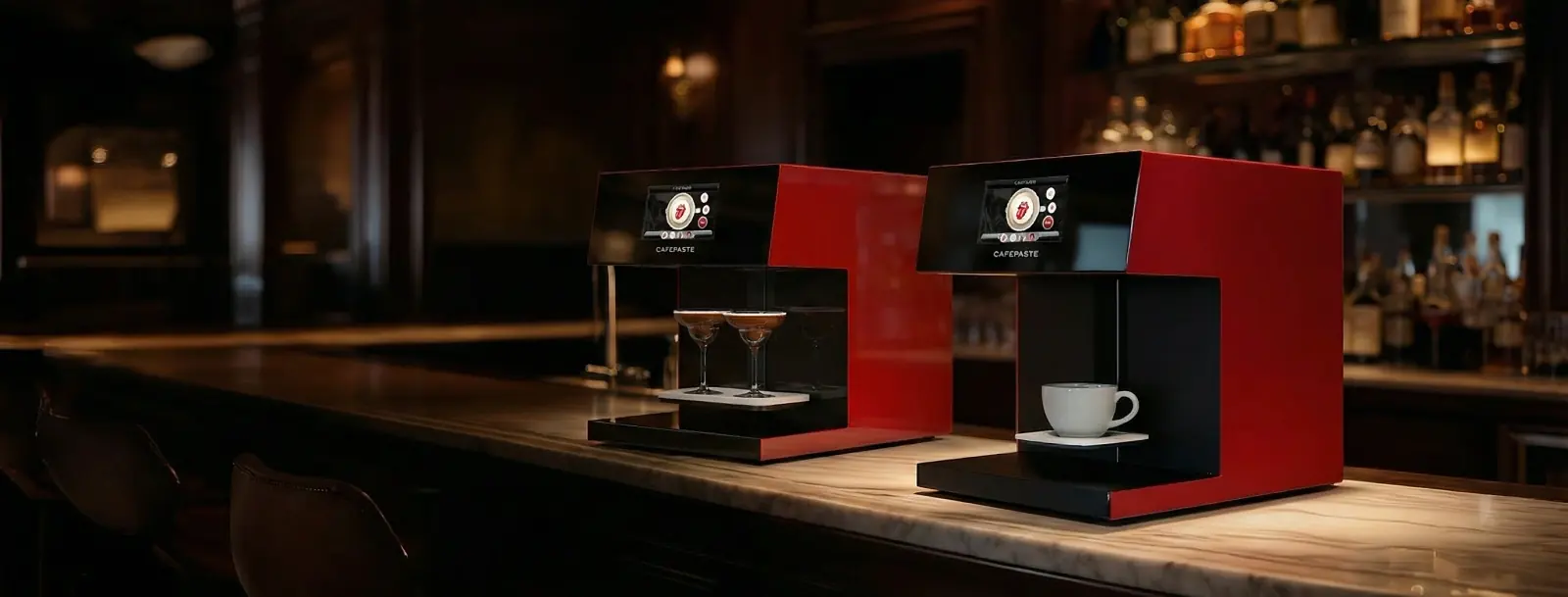
For a cafe, choose a device by speed, capacity, surfaces, and service. CAFEPASTE Pro is built for higher throughput and multi-surface menus (two cups at once + cakes/pastries). CAFEPASTE Lite suits single-counter or boutique operations. Both deliver full-color CMYK and classic brown with food-safe Pods and remote setup/training.
Quick answer: which coffee printer should I buy for my cafe?
If you run steady queues or plan to monetize personalization at volume, choose CAFEPASTE Pro. It handles two cups at once and extends to cakes/pastries. If your workflow is one drink at a time or space is tight, choose CAFEPASTE Lite. Both are Beverage Art Creators built for commercial cafe duty.
Compare CAFEPASTE models for cafes (Pro vs Lite) — speed, capacity, surfaces
Both devices apply edible Art to suitable drink surfaces with full-color CMYK and classic brown. Pro prioritizes throughput and multi-surface versatility; Lite focuses on compact, single-cup operation. Use this side‑by‑side to map each model to your menu and service pace.
| Criteria | CAFEPASTE Pro | CAFEPASTE Lite |
|---|---|---|
| Primary use in cafes | Busy counters, chains, activations, pastry add‑ons | Boutique cafes, single-counter bars |
| Cups per cycle | Two cups simultaneously | Single cup |
| Art Time per cup | ~10 s | ~15 s |
| Art resolution | 1200 DPI | 1200 DPI |
| Color modes | Full CMYK + classic brown | Full CMYK + classic brown |
| Surfaces | Drink surfaces + cakes/pastries up to 12 cm | Drink surfaces only |
| Counter fit | 45×45×45 cm, 15 kg | 45×45×45 cm, 15 kg |
| Cup height supported | 5–18 cm | 5–18 cm |
| Connectivity | Fully offline capable; QR personalization available | Fully offline capable; QR personalization available |
| Warranty & enablement | 2-year warranty; remote setup & training included | 2-year warranty; remote setup & training included |
How CAFEPASTE fits into cafe workflow and throughput (art time, simultaneous cups, Pod yield)
CAFEPASTE sits next to your espresso or cocktail station and applies Art just before handoff. Pro’s two-cup capability reduces queue friction at peaks; Lite slots into single‑operator workflows. QR-based personalization shifts image selection to guests, keeping baristas focused on drinks.
Prepare a suitable surface
Serve a drink with a stable visible layer (e.g., latte/cappuccino microfoam). For Pro, place eligible cakes/pastries (up to 12 cm) on the tray.
Customer selects design
They scan a QR, open a mobile gallery (no app), choose a template or upload a photo. The design enters your queue.
Apply Art
Place the cup(s) under the Creator. Pro can run two cups simultaneously; Lite runs one. Confirm and apply Art.
Serve and share
Hand off the personalized drink or dessert. Guests often share on social media, amplifying your brand.
Commercial considerations: device size, cup height, offline use, warranty, remote setup & training
Space, reliability, and support matter as much as speed. The compact footprint and offline capability de‑risk deployment on busy counters. Enablement is remote and included, so you can launch without waiting for on‑site technicians.
- Works fully offline for core operation; QR personalization available when internet is present.
- 2‑year warranty for peace of mind.
- Installation and staff training are done REMOTELY and are included.
Costs & consumables: Pod shelf life, replacement cadence, and cost factors to estimate price per cup
CAFEPASTE uses food-safe Pods. To estimate cost per cup, factor in your design mix (full-color vs classic brown), local Pod pricing, staff time saved via QR self-service, and your average daily Art volume. Many cafes treat personalized drinks as a premium menu line.
- Pods: efficient use for 2 weeks after opening; 6 months sealed shelf life.
- Replacement cadence: driven by your print density and peak volumes.
- Per‑cup cost estimate: combine Pod consumption pattern, labor savings from QR flow, and any premium you charge for personalization.
Unique capabilities and use cases (cakes/pastries up to 12 cm, full CMYK + natural brown, marketing ROI examples)
Differentiate beyond latte art. With Pro, extend to desserts for seasonal campaigns or limited editions, and switch seamlessly between photoreal full color and classic coffee‑brown aesthetics—without changing devices.
no other device in the world offers all three: (1) full color (CMYK) + natural coffee-based classic brown in the SAME device; (2) art on drinks AND on cake/pastry surfaces up to 12 cm; (3) two cups simultaneously.
- Seasonal drops: pumpkin season logos in classic brown on lattes; full‑color holidayoutlets on cappuccinos.
- Upsell dessert flights: Pro adds logos or names to cakes/pastries up to 12 cm.
- UGC engine: QR personalization encourages guests to post and tag your venue.
Buying checklist: questions to ask and cafe-readiness checklist
Use this framework to validate fit before you buy. It covers service pace, surfaces, space, enablement, and operating model—so you launch smoothly and capture value from day one.
- Throughput: Do you need simultaneous cups (Pro) or single‑cup flow (Lite)?
- Surfaces: Will you offer dessert Art now or soon (Pro up to 12 cm)?
- Counter space: Can you allocate a 45×45×45 cm, 15 kg footprint near service?
- Cup formats: Are your common cups within 5–18 cm height?
- Connectivity: Do you want QR personalization? (Device works fully offline for core Art.)
- Enablement: Is remote installation and staff training included? (Yes, with CAFEPASTE.)
- Warranty: Do you have a clear 2‑year warranty and support path?
- Consumables: Can you plan Pod inventory around the 2‑week post‑opening window?
- Menu pricing: Will you position personalized drinks as a premium line item?
- Futureproofing: Do you need both full CMYK and classic brown in the same device?
KEY TAKEAWAYS
- Choose Pro for throughput and multi‑surface menus; Lite for compact single‑cup service.
- Art Time: Pro ~10 s, Lite ~15 s; 1200 DPI resolution across both.
- Pods: food‑safe; 2 weeks after opening / 6 months sealed shelf life.
- Device: 45×45×45 cm, 15 kg; supports cups 5–18 cm; works fully offline.
- Remote setup and training included; 2‑year warranty for confidence.
- Founded 2019; HQ San Francisco (USA); 30+ countries, 500+ businesses served.
Frequently Asked Questions
Frequently Asked Questions
- Which CAFEPASTE model is best for a busy cafe with steady queue times?
- CAFEPASTE Pro. It applies Art on two cups simultaneously and is tuned for higher throughput while also covering cakes/pastries up to 12 cm. Lite is ideal for compact bars or boutique venues running a single‑cup workflow.
- How fast does CAFEPASTE print and what resolution will customer photos have?
- Pro applies Art in ~10 seconds per cup; Lite in ~15 seconds per cup. Both models deliver 1200 DPI art resolution for crisp logos, photos, names, and text.
- Can the machine print on cakes and pastries? What is the maximum size?
- Yes—CAFEPASTE Pro supports cake and pastry surfaces up to 12 cm. CAFEPASTE Lite focuses on drink surfaces only.
- What are Pods, how long do they last, and how many prints can I expect per Pod?
- Pods are CAFEPASTE’s food-safe edible ink consumables. Shelf life is 6 months sealed, and efficient use is 2 weeks after opening. Exact yield per Pod varies by image density and usage patterns, so plan stock based on your peak volumes.
- Do you provide training and installation in my country?
- Yes. Installation and staff training are done REMOTELY and are included. CAFEPASTE serves 30+ countries across Europe, the Americas and the Middle East.
- Does the device need an internet connection to print customer photos or logos?
- Core operation works fully offline. For QR-based personalization (guests scanning a QR to upload images), an internet connection is required.
- What warranty and after-sales support does CAFEPASTE offer?
- A 2‑year warranty is included. CAFEPASTE is headquartered in San Francisco (USA), founded in 2019, and serves 500+ businesses in 30+ countries, providing ongoing service and Pod supply in the markets it serves.
- Is buying a coffee printer better than renting for event/catering businesses?
- Event and catering operators typically buy the device once and sell personalized drinks as a premium add‑on at every event. Ownership usually beats renting after a few events because you keep the margin on each Art‑finished beverage.