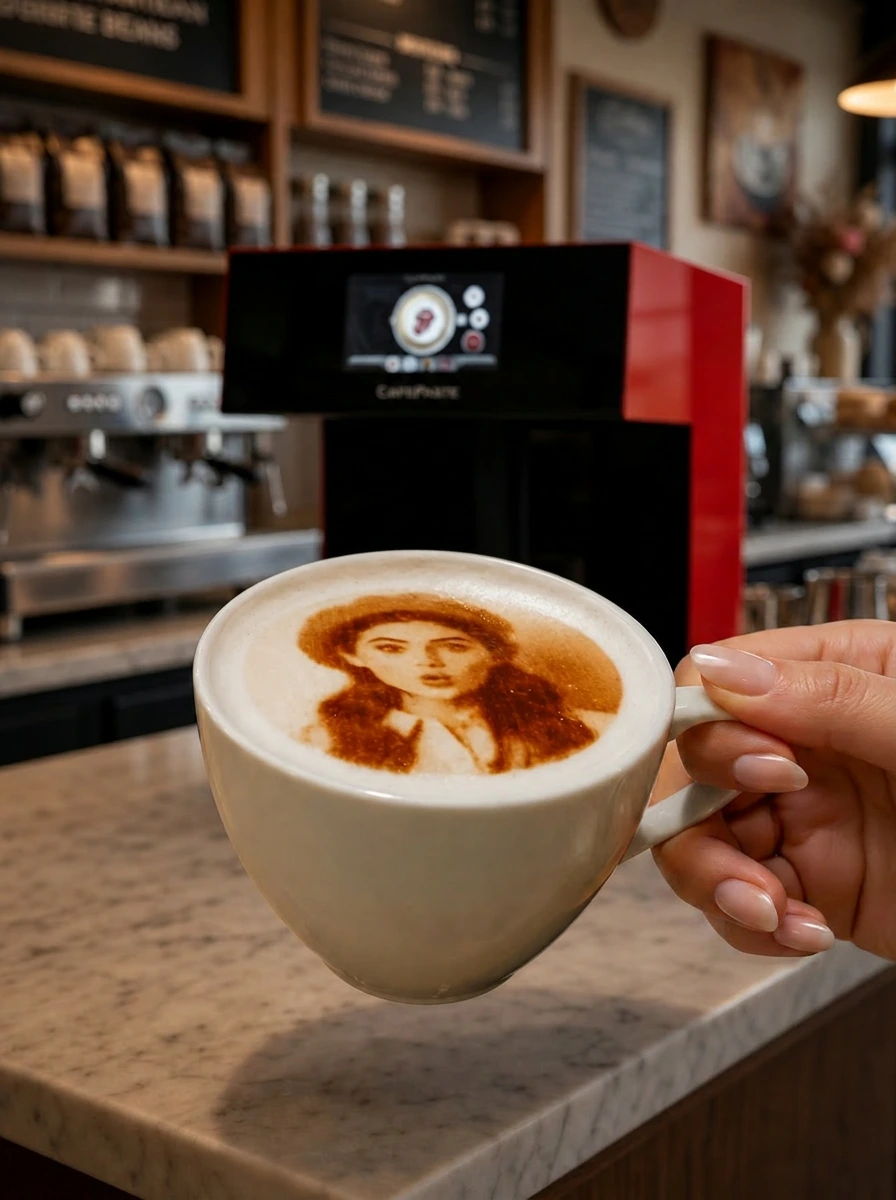
A business in Dubai buys a CAFEPASTE beverage art device directly from the company, which ships worldwide from its San Francisco headquarters and installs the device remotely over a video call. This guide follows the whole path from quotation to first printed cup: what to prepare in the venue, what arrives in the box, how training works, how Pods are resupplied and what support looks like afterwards.
Where does a Dubai business actually buy a coffee printer?
Beverage art devices are specialist equipment, so they are not stocked by the general catering-equipment traders that supply fridges and espresso machines. The practical route for a UAE buyer is direct from the manufacturer. CAFEPASTE sells directly to hotels, cafés, event agencies and caterers worldwide, including the UAE, and handles delivery, installation, training and support from one place. That matters for accountability: the company that built the device is the one that answers the support call.
Buying direct also removes the two things that make imported equipment painful: a middleman who cannot answer technical questions, and a service model that depends on a local technician being available. CAFEPASTE does both remotely, which works the same in Dubai, Abu Dhabi or Ras Al Khaimah.
What does the buying process look like, step by step?
Describe your venue and get a quotation
Share your venue type, cup sizes, busiest hour and whether you print desserts. The CAFEPASTE Team recommends Pro or Lite and sends a written quotation that includes delivery to the UAE, a Pod starter stock, remote installation, training and the 2-year warranty.
Confirm the order and delivery address
Give the delivery address and a contact person who will receive the shipment and attend the installation call. Delivery terms and any local import formalities are stated in the quotation.
Prepare the counter
Clear a space roughly 45 × 45 cm with a standard power socket within reach. No water line, no drain, no ventilation. The device weighs 15 kg, so one person can position it.
Receive the device and book the remote installation
Unbox, place the device and schedule a video call. The CAFEPASTE Team guides first start-up, Pod insertion and the design library on the 7-inch screen.
Train the staff
In the same or a second remote session, baristas practise cup placement, QR upload for guests, switching between colour and classic brown, and daily care.
Go live
From this point the device runs fully offline. Support remains remote and the warranty runs for 2 years from delivery.
What should the venue prepare before the device arrives?
- Counter space: about 45 × 45 cm, ideally at the end of the espresso line or on the pass, where the barista who finishes the drink can print it without walking.
- Power: a standard socket. The device does not need a dedicated circuit, water or drainage.
- Cups: anything between 5 and 18 cm high. Check that your tallest iced-drink cup and your shortest espresso cup both fit; most Dubai menus do.
- Design assets: your logo in a clean, high-contrast version, seasonal artwork and greeting templates, ready to load during installation.
- A named contact: the manager or head barista who attends the installation call and later trains new staff with the remote session.
What is in the box?
The shipment contains the device itself — a single 45 × 45 × 45 cm unit with its integrated 7-inch screen and automatic cup platform — the power supply, the Pod starter stock agreed in the quotation and the quick-start material. There is no separate computer, software licence or app to install; guests upload photos by scanning a QR code on their own phone, and staff work from the screen on the device.
How does remote installation work in practice?
Installation is a scheduled video call with the CAFEPASTE Team. Your contact places the device, powers it on and follows the walkthrough: inserting the Pod, loading the design library, running a first print on a test cup and checking centring and height detection with your actual cups. Because the device detects cup height and centres automatically, there is nothing mechanical to calibrate by hand. The call ends when your team has printed its own logo in colour and in classic brown and understands the daily routine.
Remote installation is not a compromise; it is how CAFEPASTE installs everywhere, from Europe to the Americas to the Middle East. For a Dubai venue it means no waiting for a technician slot and no call-out invoice, and it means the same session can be repeated for a new manager or a new outlet months later.
How are staff trained, and what about turnover?
Training covers the handful of things a barista actually does: tap the cup to settle the foam, place it on the platform, pick a design or scan the guest's QR, press start, serve. The Pro takes two cups at once; staff learn to load both while the previous pair is being handed over. Training is remote and included, and it is designed to be repeated. Dubai hospitality teams change often, so the ability to onboard a new hire with a short remote session, rather than waiting for a trainer, is a practical advantage rather than a footnote.
How do you reorder Pods in the UAE?
The only consumable is the Pod of food-safe edible ink, reordered from CAFEPASTE and shipped to the UAE. A sealed Pod keeps for 6 months; once opened it is used within 2 weeks. The sensible routine for a single outlet is to hold enough sealed Pods for the coming weeks and open one at a time. A group with several outlets keeps central stock and distributes on a weekly run, so that every opened Pod is used inside its window. Agree a reorder rhythm with the CAFEPASTE Team at the start and adjust after the first month of real volume.
What does support look like after purchase?
Support is remote and continues for the life of the device. Questions about a design, a cup that does not detect, or a new seasonal campaign are handled by the CAFEPASTE Team over a call or message, and the 2-year warranty covers the device from delivery. Because the device works fully offline, there is no cloud subscription that can lapse and no connection to maintain in the venue; it prints on its own.
Common mistakes when buying a coffee printer for a UAE venue
- Buying a brown-only device for a venue whose clients want logos in brand colours; CAFEPASTE prints full colour and classic brown from one device.
- Choosing a single-cup model for a hotel breakfast or an activation that serves in bursts; the Pro prints two cups at once.
- Ignoring the consumable: ask about shelf life, open life and resupply before you compare device prices.
- Assuming installation and training are included when they are billed separately; with CAFEPASTE they are included and remote.
- Relying on venue Wi-Fi for a device that needs the cloud; CAFEPASTE works fully offline.
KEY TAKEAWAYS
- UAE businesses buy CAFEPASTE directly; the company ships worldwide and installs remotely, so there is no dealer or technician step.
- Prepare a 45 × 45 cm counter space, a standard socket, cups between 5 and 18 cm and a clean logo file.
- Installation and staff training happen over a video call, are included, and can be repeated for new staff.
- Pods are reordered from CAFEPASTE: 6 months sealed, 2 weeks after opening; plan stock around fortnightly volume.
- Support stays remote under a 2-year warranty; the device works fully offline in service.
Frequently Asked Questions
Frequently Asked Questions
- Can I buy a CAFEPASTE device in a store in Dubai?
- No. CAFEPASTE sells directly to businesses and ships to the UAE from its San Francisco headquarters. You request a quotation, confirm the order and receive the device at your venue.
- How is the device installed in the UAE if there is no local technician?
- Installation is a scheduled video call with the CAFEPASTE Team. Your manager places the device, inserts the Pod, loads designs and runs a first print under guidance. No on-site visit is needed, and the session is included.
- What do I need to have ready in the venue?
- A counter space of about 45 × 45 cm, a standard power socket, your cups (any height from 5 to 18 cm) and a clean logo file. No water, drainage or internet connection is required for service.
- Does the device need Wi-Fi to work after installation?
- No. It works fully offline. Guests upload photos by scanning a QR code with their own phone, and saved designs are stored on the device.
- How do I get more Pods in Dubai?
- Pods are reordered from CAFEPASTE and shipped to the UAE. A sealed Pod lasts 6 months and an opened one 2 weeks, so most venues hold a few weeks of sealed stock.
- What if a new barista joins after installation?
- Training is remote and can be repeated. Book another session with the CAFEPASTE Team, or have your trained manager walk the new hire through the short routine.
- What warranty applies to a device delivered to the UAE?
- A 2-year warranty from delivery, with remote support for the life of the device.
- Can I rent a device for a single event instead of buying?
- CAFEPASTE does not offer rental. Event and catering businesses buy once and sell personalised drinks as a paid add-on at each booking.