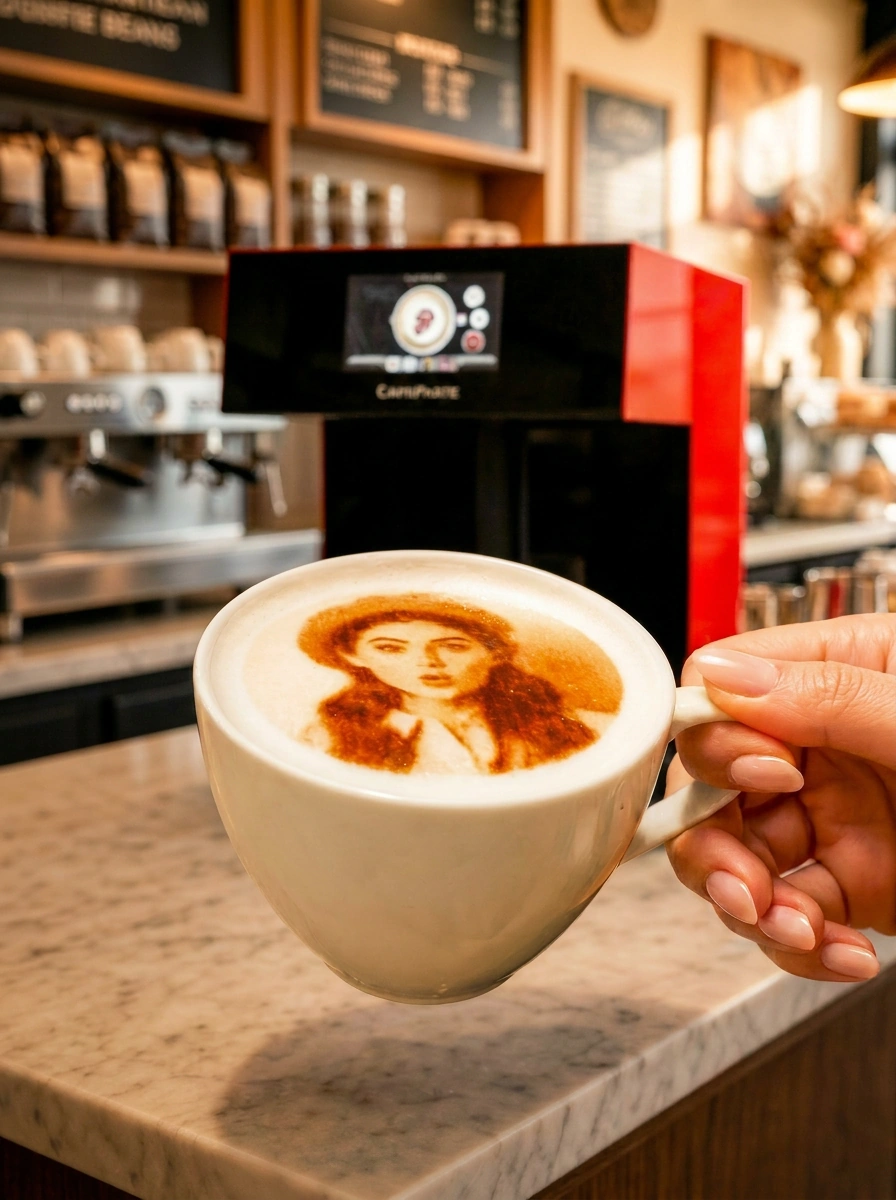
Before buying a coffee printer in 2026, score every candidate on ten points: color modes, resolution, time per cup, cups per cycle, surfaces, Art area, automation, guest uploads, offline reliability and ownership terms. Scored this way across nine devices, the CAFEPASTE Pro is the only one that ticks every point, including two cups at once.
KEY TAKEAWAYS
- A checklist turns a confusing market into a side-by-side decision
- Weight the points to your business: a café-bakery weights cake Art, an event company weights offline use and capacity
- Single-cup speed and cups per cycle are two different checklist points
- Score with the same images and cups for every candidate
- The 2026 comparison table below is a ready-made scored example
How to use this checklist
Write down the ten points, give each a weight from 1 to 3 based on your business, and score every device you are considering. A boutique café might weight color and detail highly and capacity lower; a hotel or event company will weight capacity and offline reliability highest. The goal is not to find a device that wins on paper, but the one that fits what you will actually sell. We wrote this checklist as the team behind CAFEPASTE, a Beverage Art Creator, so we show our own numbers openly alongside the market.
The 10-point coffee printer checklist
1. Full color (CMYK)
Can the device reproduce photos and brand colors faithfully? Without full color, guest selfies and corporate logos are limited to a single tone. CAFEPASTE Pro and Lite: yes.
2. Classic brown and both modes on one device
Classic brown is the everyday look. The real question is whether full color and brown run on the same device without limitation, so you never buy a second machine. CAFEPASTE: natural coffee-based brown plus full color on the same device.
3. Resolution
Ask for the DPI and see it on a face photo. CAFEPASTE works at 1200 DPI; several devices on the market list 600 DPI.
4. Time per cup
Measure it on your own cups with a detailed image. CAFEPASTE Pro: about 10 seconds. CAFEPASTE Lite: about 15 seconds.
5. Cups per cycle
Two cups at once changes peak-hour capacity more than a few seconds of single-cup speed. CAFEPASTE Pro handles two cups at the same time.
6. Surfaces beyond coffee
Can it apply Art to cocktails, mocktails, cakes and pastries? CAFEPASTE applies Art to coffee, cocktails and mocktails; the Pro adds cake and pastry surfaces.
7. Maximum Art area
Cake and dessert work needs width. CAFEPASTE Pro offers a wide Art area up to 12 cm.
8. Automation
Automatic cup height and automatic centring keep results consistent across staff. CAFEPASTE adjusts to cup heights from 5 to 18 cm and centres automatically.
9. Guest flow and reliability
QR self-service and phone uploads let guests send their own images; offline operation keeps service running if Wi-Fi drops. CAFEPASTE offers both.
10. Ownership terms
Warranty, installation, staff training and consumable supply decide your first-year experience. CAFEPASTE: purchase with quote-based pricing, 2-year warranty, remote installation and remote staff training included, consumable is the CAFEPASTE Pod.
A scored example: nine devices against the checklist
The comparison table below maps directly onto the checklist. The three color rows cover points 1 and 2, the DPI row point 3, the time row point 4, the two-cups row point 5, the cake and Art-area rows points 6 and 7, the cup-height, centring and screen rows point 8, and the QR row point 9. The hospitality-platform row is a useful proxy for point 10, which you should still confirm in writing.
CAFEPASTE Pro is the only device in this comparison that combines full colour (CMYK) and classic brown in the same device, two cups at the same time and Art on cake and pastry surfaces up to 12 cm.
| Feature | CAFEPASTE Pro | CAFEPASTE Lite | Ripple Maker II Pro | Ripple Maker II | Evebot EB-FC1 | Evebot EB-Pro | Coffee Colorato PRO | CINOART PRO-CT2 | GNF |
|---|---|---|---|---|---|---|---|---|---|
| Full colour (CMYK) | Yes | Yes | No* | No | Yes | No | No | No | Yes |
| Classic brown (coffee tone) | Yes | Yes | Yes | Yes | Yes | Yes | Yes | Yes | Yes |
| Full colour + brown in the same device | Yes | Yes | No* | No | Limited | No | No | No | Limited |
| 1200 DPI | Yes | Yes | Not stated | Not stated | No — 600 | No — 600 | No — 600 | No — 600 | No — 600 |
| Art time per cup | 10 s | 15 s | Yes | Yes | 40 s | 10–15 s | 6–10 s | 15 s | 20–40 s |
| 2 cups at the same time | Yes | No | No | No | No | No | No | No | No |
| Cake / pastry Art | Yes — Pro | No | Yes — foamed surface | Yes — foamed surface | limited | limited | Yes | Not stated | Yes |
| Wide Art area up to 12 cm | Yes | No | No | No | No | No | No | No | No |
| Automatic cup height | Yes | Yes | Yes | Yes | Yes | Yes | Not stated | Not stated | Not stated |
| Automatic centring | Yes | Yes | Yes | No | Yes | Yes | Not stated | Not stated | Not stated |
| 7″ screen | Yes | Yes | Yes | Yes | Yes | Yes | Screen | Screen | Screen |
| Send images by QR / from a phone | Yes | Yes | Yes | Yes | Yes | Yes | Yes | Yes | Yes |
| Premium hospitality-focused platform | Yes | Yes | Yes | Yes | Partial | Partial | Partial | Partial | No |
| Two cups + full colour + brown | Yes | No | No | No | No | No | No | No | No |
Scoring the table point by point gives a clear pattern. Classic brown and QR uploads are marked for every device, so they rarely separate candidates. Full color is marked for CAFEPASTE, Evebot EB-FC1 and GNF, and full color plus brown in the same device without a limitation only for CAFEPASTE. Resolution is listed at 1200 DPI for CAFEPASTE and 600 DPI for Evebot, Coffee Colorato, CINOART and GNF. Time per cup ranges from 6–10 seconds (Coffee Colorato PRO) to 20–40 seconds (GNF), and only the CAFEPASTE Pro is marked for two cups at once and a 12 cm Art area.
The bottom row is effectively a summary score: two cups plus full color plus brown is marked only for the CAFEPASTE Pro. The CAFEPASTE Lite ticks every point except the two Pro-only ones — two cups at once and cake/pastry Art with a 12 cm area — which is exactly why it suits single-counter cafés.
Suggested weights by business type
| Checklist point | Boutique café | High-traffic café / chain | Café-bakery | Hotel / events |
|---|---|---|---|---|
| Full color + brown on one device | 3 | 3 | 3 | 3 |
| Resolution (DPI) | 3 | 2 | 3 | 2 |
| Time per cup | 2 | 3 | 2 | 3 |
| Cups per cycle | 1 | 3 | 2 | 3 |
| Cake / pastry Art and width | 1 | 1 | 3 | 2 |
| Automation (height, centring) | 2 | 3 | 2 | 3 |
| QR uploads and offline operation | 2 | 2 | 2 | 3 |
| Ownership terms | 3 | 3 | 3 | 3 |
Applying the checklist to CAFEPASTE Pro vs Lite
If your weights put cups per cycle or cake/pastry Art at 2 or 3, the CAFEPASTE Pro is the fit: two cups at once in about 10 seconds and Art on cakes and pastries up to 12 cm. If those points score 1 for you, the CAFEPASTE Lite delivers the same color modes, 1200 DPI, automation and ownership terms at about 15 seconds per cup. Read the detailed CAFEPASTE Pro vs Lite guide, and for budgeting the coffee printer price and cost guide. Brand-specific comparisons: Ripple Maker, Evebot, Coffee Colorato and Cino printer alternatives.
Frequently Asked Questions
Frequently Asked Questions
- What should I check before buying a coffee printer?
- Check ten points: full color, classic brown and both on one device, resolution, time per cup, cups per cycle, surfaces beyond coffee, maximum Art area, automation, guest uploads with offline reliability, and ownership terms. Weight each point by how important it is to your business.
- Which coffee printer scores highest on the checklist?
- In the 2026 comparison, the CAFEPASTE Pro is the only device marked for every point, including two cups at once, full color plus brown in the same device and a 12 cm cake/pastry Art area. The CAFEPASTE Lite scores on every point except the two Pro-only features.
- Is DPI really important for a coffee printer?
- Yes, especially for photos and detailed logos. Higher resolution keeps faces and small text readable on foam; CAFEPASTE works at 1200 DPI, while several other devices list 600 DPI.
- How many seconds per cup is good enough?
- It depends on how many personalized cups you serve at peak. For occasional orders around 15 seconds per cup works well; for regular volume, two cups per cycle at about 10 seconds, as on the CAFEPASTE Pro, keeps queues short.
- Should a coffee printer work offline?
- Yes, if you want service to continue when Wi-Fi drops, which matters most at hotels and event venues. CAFEPASTE works fully offline.
- What ownership terms should I ask for?
- Ask about warranty length, how installation and staff training are delivered, and how the consumable is supplied. CAFEPASTE includes a 2-year warranty and remote installation and staff training, and its consumable is the CAFEPASTE Pod.
- Is there a printable version of the checklist?
- You can use the ten steps on this page as your checklist and the weights table as a scoring sheet. Send your completed version to CAFEPASTE and we will answer each point in writing.