The right beverage printer depends on your drinks, your busiest hour and your support needs, so no single model suits every business. Start with seven criteria: art time, resolution, color modes, surfaces, consumables, support and total cost. Then ask every manufacturer the same questions. This guide explains each criterion and shows the CAFEPASTE figures as a reference point.
What counts as a beverage printer?
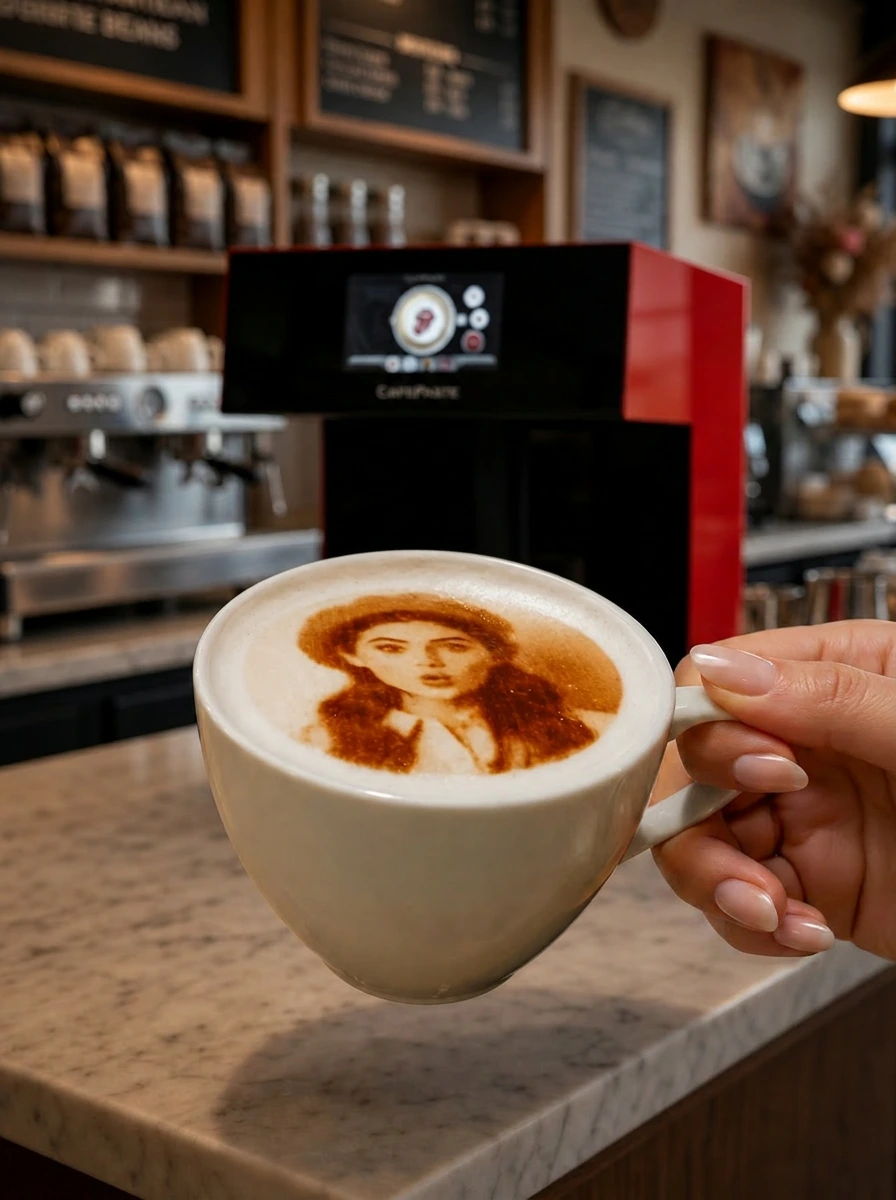
A beverage printer, also called a beverage art creator, puts a picture on the surface of a drink that is about to be served. The people searching for one are usually cafés, hotels, bars and event companies who want logos, photos or messages on drinks.
"Beverage industry printer" can also mean something quite different: coding and labelling machines on a bottling line. Those mark packaging and are not covered here. If you are unsure which term applies, our note on beverage art creators and coffee printers sets out how the names are used.
Which 7 criteria should you compare?
| Criterion | Why it matters | Question to ask | CAFEPASTE figure |
|---|---|---|---|
| Art time | Sets the pace at your busiest hour | How many seconds per cup, measured from start to finish? | Pro ~10 s, Lite ~15 s |
| Resolution | Decides how well faces and small text hold up | What is the DPI, and can I see a real result on foam? | 1200 DPI |
| Color modes | Affects logos with set colors and the natural coffee look | Full color, brown tones, or both in one device? | CMYK and classic brown in the same device |
| Surfaces and cups | Decides how much of your menu qualifies | Which drinks, which glass heights, any food surfaces? | 5–18 cm; foam and cream layers; cake and pastry up to 12 cm on Pro |
| Consumables | Drives running costs and waste | How long does the consumable last once opened and when sealed? | Pod: 2 weeks opened, 6 months sealed |
| Support and training | Decides what happens on a bad day | How is setup done, and who helps when something stops? | Remote and included; no technician visit is needed |
| Total cost | Purchase price is only part of it | What will I pay over the first years, including consumables? | Quoted per market; 2-year warranty |
Ask for each answer in writing, and ask the same question of each manufacturer. Numbers quoted under different conditions can look better than they are, so try to compare like with like.
How do CAFEPASTE, Evebot, Cino and Ripple Maker compare?
The comparison below sets these four names side by side. Specifications change between product generations, so confirm any figure for another brand with that manufacturer before you decide.
CAFEPASTE Pro is the only device in this comparison that combines full colour (CMYK) and classic brown in the same device, two cups at the same time and Art on cake and pastry surfaces up to 12 cm.
| Feature | CAFEPASTE Pro | CAFEPASTE Lite | Ripple Maker II Pro | Ripple Maker II | Evebot EB-FC1 | Evebot EB-Pro | Coffee Colorato PRO | CINOART PRO-CT2 | GNF |
|---|---|---|---|---|---|---|---|---|---|
| Full colour (CMYK) | Yes | Yes | No* | No | Yes | No | No | No | Yes |
| Classic brown (coffee tone) | Yes | Yes | Yes | Yes | Yes | Yes | Yes | Yes | Yes |
| Full colour + brown in the same device | Yes | Yes | No* | No | Limited | No | No | No | Limited |
| 1200 DPI | Yes | Yes | Not stated | Not stated | No — 600 | No — 600 | No — 600 | No — 600 | No — 600 |
| Art time per cup | 10 s | 15 s | Yes | Yes | 40 s | 10–15 s | 6–10 s | 15 s | 20–40 s |
| 2 cups at the same time | Yes | No | No | No | No | No | No | No | No |
| Cake / pastry Art | Yes — Pro | No | Yes — foamed surface | Yes — foamed surface | limited | limited | Yes | Not stated | Yes |
| Wide Art area up to 12 cm | Yes | No | No | No | No | No | No | No | No |
| Automatic cup height | Yes | Yes | Yes | Yes | Yes | Yes | Not stated | Not stated | Not stated |
| Automatic centring | Yes | Yes | Yes | No | Yes | Yes | Not stated | Not stated | Not stated |
| 7″ screen | Yes | Yes | Yes | Yes | Yes | Yes | Screen | Screen | Screen |
| Send images by QR / from a phone | Yes | Yes | Yes | Yes | Yes | Yes | Yes | Yes | Yes |
| Premium hospitality-focused platform | Yes | Yes | Yes | Yes | Partial | Partial | Partial | Partial | No |
| Two cups + full colour + brown | Yes | No | No | No | No | No | No | No | No |
Which model suits which type of business?
- Boutique café with steady traffic: a single-cup model is often enough. CAFEPASTE Lite takes ~15 s per cup.
- Busy café or breakfast service: output at peak time matters more here. CAFEPASTE Pro takes ~10 s and handles 2 cups at once.
- Event company: look for high output, portability and offline operation. CAFEPASTE weighs 15 kg and works fully offline.
- Bakery or patisserie: food surfaces are the deciding factor. Art on cake and pastry up to 12 cm is on CAFEPASTE Pro only.
- Bar or lounge: check your glass heights against the 5–18 cm range, and count how many of your drinks have a foam or cream layer.
Our Pro vs Lite decision guide takes this further if CAFEPASTE is on your shortlist.
How do you estimate the total cost of ownership?
A fair estimate covers more than the purchase price. Use your own numbers rather than anyone's example, including ours. Work through these items for the first two years:
- Purchase: the quote for your model in your country, including delivery and applicable taxes.
- Consumables: how many consumables you will use. Check the opened life closely if your volume is low, since an opened CAFEPASTE Pod lasts 2 weeks.
- Setup and training: included remotely with CAFEPASTE. For any other supplier, ask whether these are charged separately.
- Downtime: what a stopped device would cost you on a busy day, and how fast the supplier responds.
- Income: the number of decorated drinks per day multiplied by what you can charge, or the marketing value if you print logos rather than sell an extra.
Should you buy a beverage printer or look for a rental?
CAFEPASTE devices are sold, not rented. For event businesses the usual model is to buy once and sell personalised drinks as a paid extra at each booking, so the sums depend on how many events you run per year. For cafés and restaurants with daily use, ownership is the natural route, since the device serves every day.
What do you get when you buy a CAFEPASTE?
The CAFEPASTE Beverage Art Creator comes with remote installation, staff training and support, plus a 2-year warranty. Images reach the device by QR code or phone, and it sets height and centring automatically for each cup. The company was founded in 2019, has its headquarters in San Francisco, and works with 500+ businesses across 30+ countries. Product and ink documentation is available to buyers on request, so you can check it against your local food rules.
KEY TAKEAWAYS
- No model suits every venue, so compare against your drinks, your peak hour and your support needs.
- Use the same seven criteria and the same written questions for each manufacturer.
- Count the drinks on your menu with a foam or cream layer before you decide.
- Work out two-year costs with your own numbers, including consumables and downtime.
- CAFEPASTE is purchased, and event businesses typically sell personalised drinks as a paid extra.
Frequently Asked Questions
Frequently Asked Questions
- What is the best beverage printer in 2026?
- There is no single answer, because the right choice depends on your drinks, your busiest hour and your support needs. Compare art time, resolution, color modes, surfaces, consumables, support and total cost. Ask each manufacturer the same questions in writing.
- What is a beverage art creator?
- A beverage art creator is a device that applies photos, logos and text to the surface of a drink using food-safe edible ink. It is the wider category term for what many people call a coffee printer or beverage printer. CAFEPASTE also supports cake and pastry surfaces on the Pro model.
- Is a beverage industry printer the same as a beverage printer?
- Not always. "Beverage industry printer" often refers to coding and labelling machines on bottling lines, which mark packaging. The devices covered in this guide print on the drink itself at the point of service.
- How fast is a CAFEPASTE beverage printer?
- CAFEPASTE Pro takes about 10 seconds per cup and can handle 2 cups at once. CAFEPASTE Lite takes about 15 seconds and handles one cup. Both work at 1200 DPI.
- What surfaces does CAFEPASTE support?
- CAFEPASTE supports coffee and milk foam, cold foamed drinks, beer foam, and cocktails and mocktails with a foam or cream layer. The Pro model also supports cake and pastry surfaces up to 12 cm. It does not print on the outside of cups.
- Is training for CAFEPASTE done at my venue?
- No. Installation, staff training and support are remote and included with the purchase, and no technician visit is needed. This applies wherever you are based.
- What determines the price of a beverage printer?
- The main factors are the model, the features you need, your country and your consumable volume. Delivery and local taxes can also change the final figure. The most reliable approach is to request a quote for your market and add your own running-cost estimate.